All features

Cloudesk Assets & maintenance

Keep the machines running, and know what it costs.

List every machine, vehicle and piece of equipment with its meter and its place in your fixed-asset register. Plan servicing every so many days or hours, report breakdowns from anywhere, and work each job with its checklist, labour, spare parts from stock and outside visits — then see downtime, MTBF, MTTR and cost per asset.

Maintenance on a phone

Real screenshots from the app, using a demo workspace.

How it works

Three steps, no surprises

  1. 1

    Register your assets

    Name, make, model, serial, location, how critical it is and who looks after it; link it to its fixed-asset line, add components, and record meter readings.

  2. 2

    Plan the servicing

    Every 90 days, every 250 hours, or whichever comes first, with a checklist, the spares it uses and who does it. Work orders are raised before they're due.

  3. 3

    Fix, record, learn

    Breakdowns stop the clock on the asset; the job's labour, parts and outside costs add up; cause and remedy are kept, and reliability shows what keeps failing.

The tour

Every tool, up close.

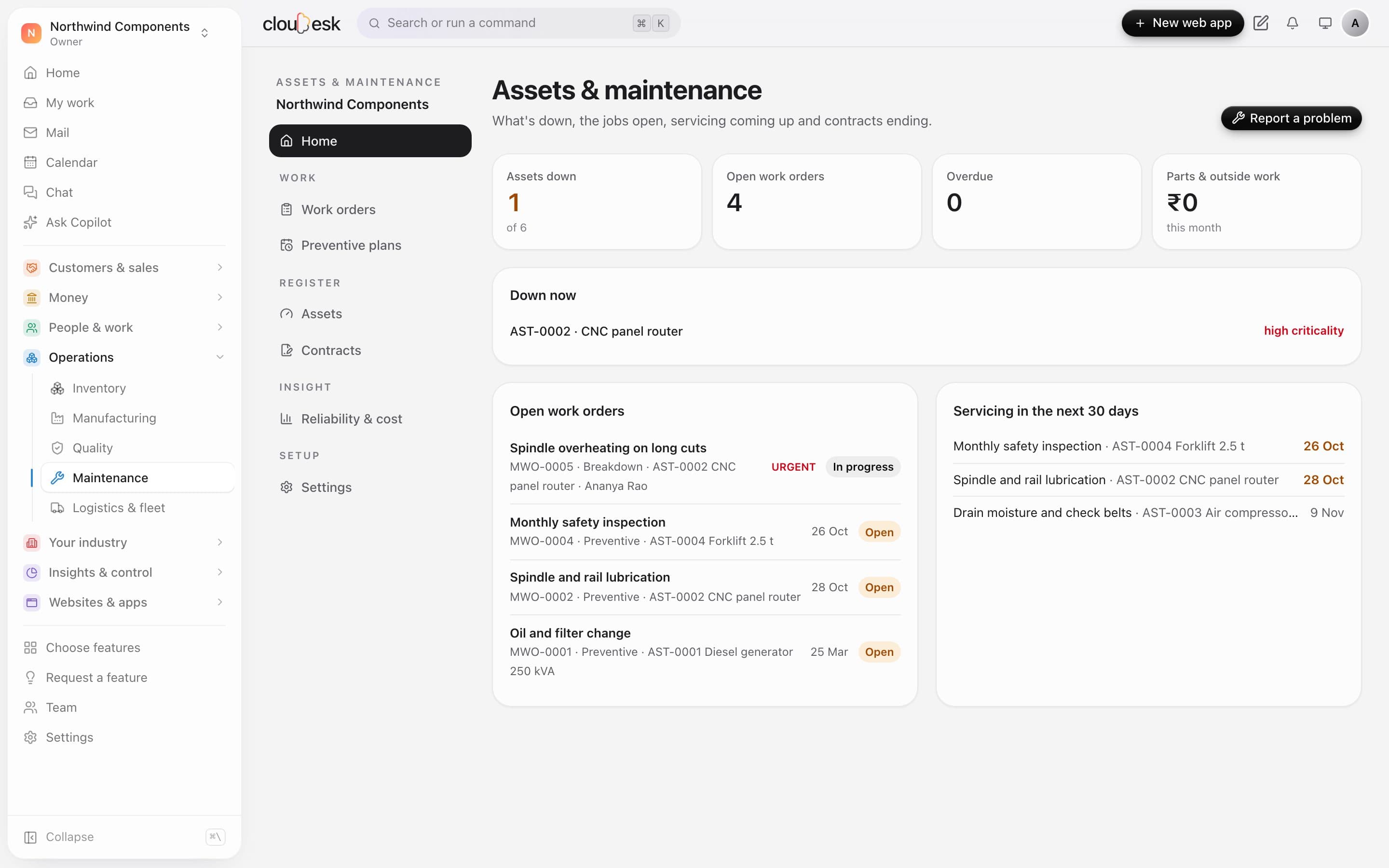
  1. 01At a glance

    What's down, what's open, what's due.

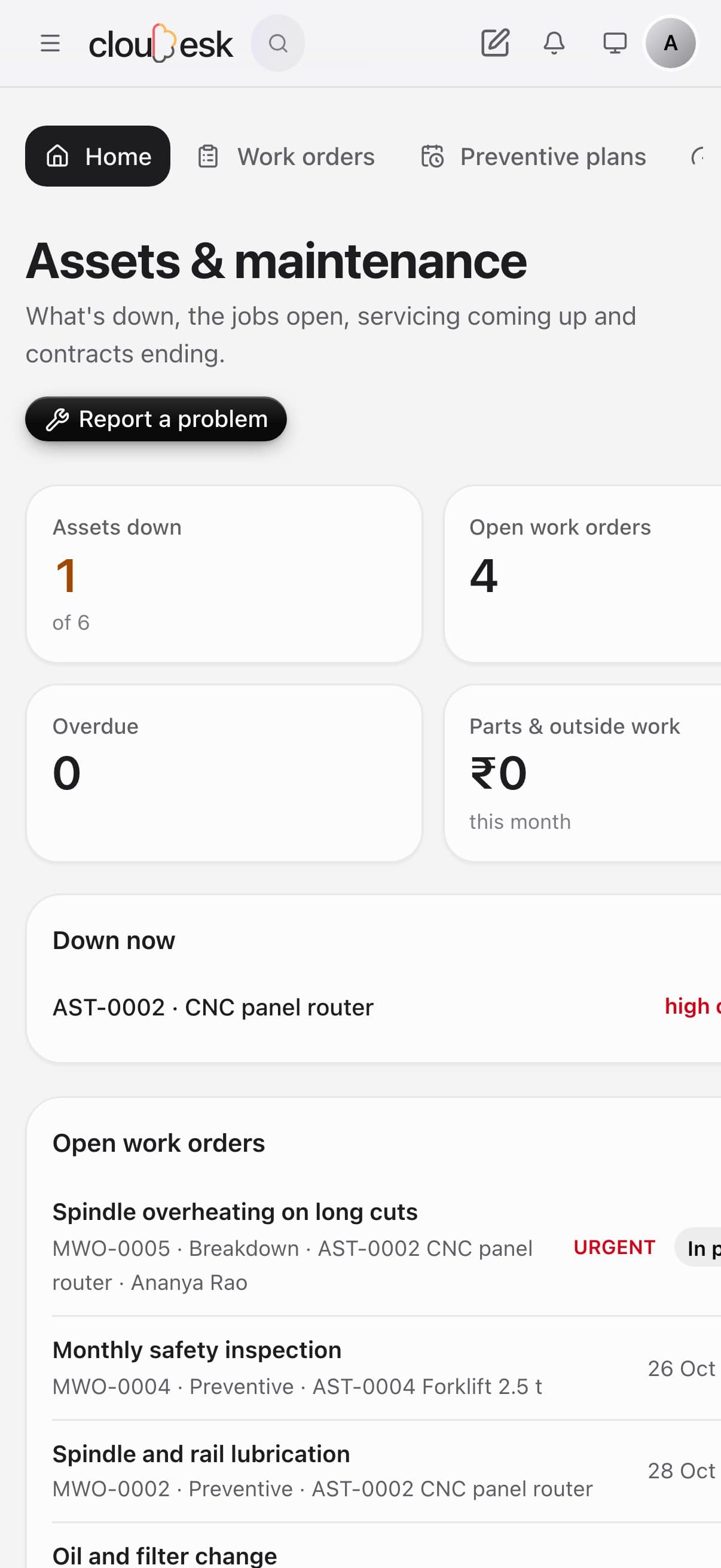
    See machines that are stopped, open work orders by priority, and preventive servicing due in the next 30 days. Anyone can report a problem from here.

    • Assets down right now
    • Open work orders by priority
    • Servicing coming up
    Maintenance home with a machine down and servicing coming up
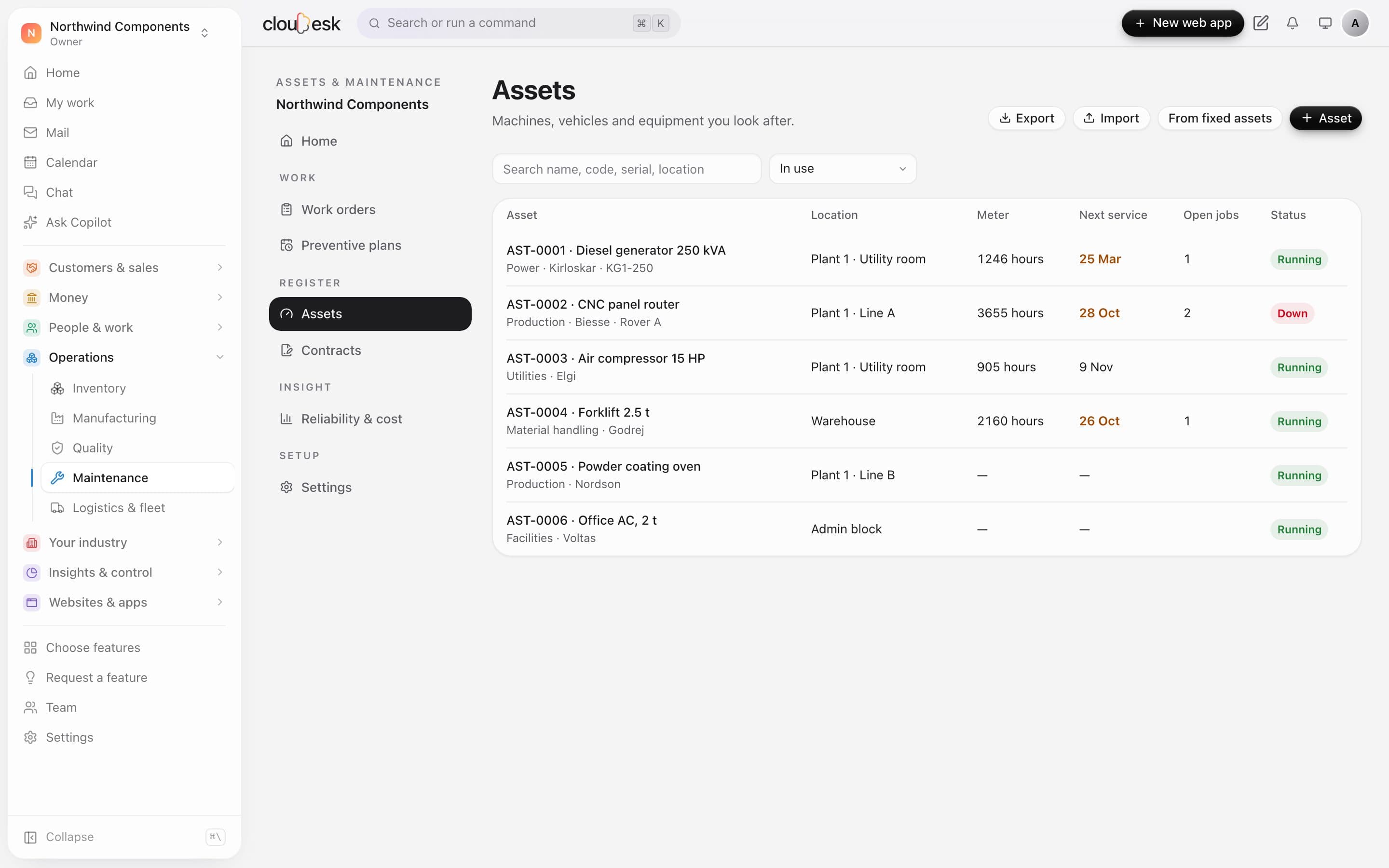
  2. 02Assets

    Every machine, its meter and next service.

    Keep the register of machines, vehicles and equipment with their location, meter reading and next service. Import it from a sheet or from your fixed-asset register.

    • Meters in hours, km or cycles
    • Next service by date or by meter
    • Running or down at a glance
    The asset register with meters, next service and status
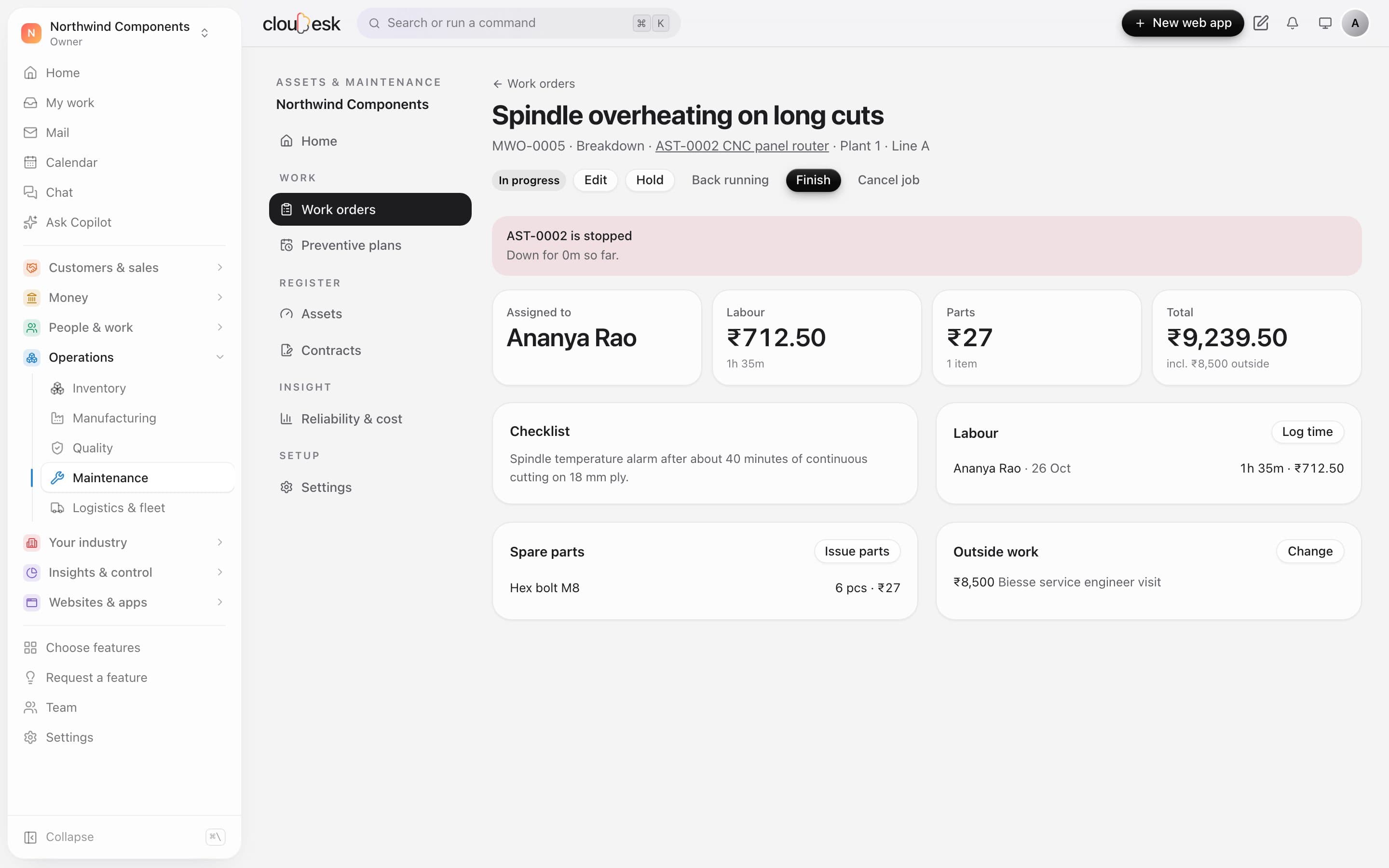
  3. 03Work orders

    Labour, parts and outside work, costed.

    A breakdown marks the machine down until the job is done. Log labour time, issue spare parts from stock and add outside work; the job's cost adds itself up.

    • Downtime tracked from the breakdown
    • Spare parts issued from inventory
    • Labour at your hourly rate
    A breakdown work order with labour, parts and outside work costed
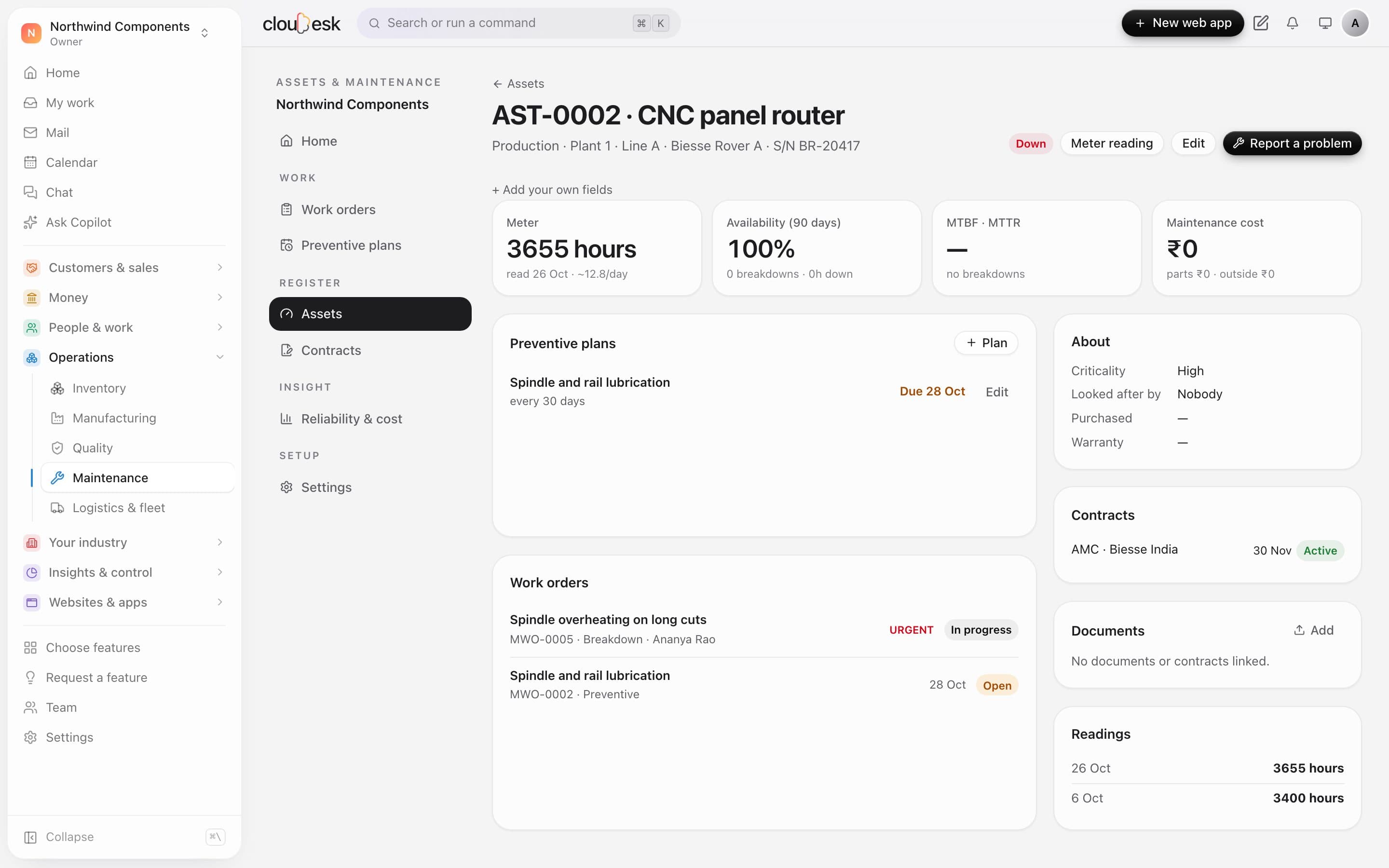
  4. 04One asset

    Plans, contracts and readings in one place.

    Each asset shows its availability, preventive plans, work orders, service contracts and meter readings. Plans raise work orders by themselves when they fall due.

    • Availability, MTBF and MTTR
    • Preventive plans by date or meter
    • AMC contracts with end dates
    A CNC router's page with its plan, open jobs, contract and readings

In detail

What you get with Cloudesk Assets & maintenance

Preventive by date or meter

Each plan repeats by days, by meter (hours, kilometres, cycles) or both, from when it was last done. Meter use is averaged to show when the next one will come due.

Good to know

We'd rather be upfront than surprise you later:

  • Spare parts need Inventory; posting them needs Accounting. Labour is costed for the job but not posted again — it's already in payroll. Outside work is recorded on the job; enter the vendor's bill in Accounting.
  • There's no mobile scanning of asset QR codes, IoT meter feeds, or calibration certificates yet; meters are read in by hand.

Questions people ask

When is a preventive work order raised?+

When the plan's date less its lead days has come, or the meter is within its lead of the next reading — whichever happens first. Only one open order per plan at a time.

How is availability worked out?+

The hours in the period less the hours the asset was down for breakdowns, divided by the hours in the period. MTBF is running hours per failure; MTTR is downtime per failure.

Works beautifully with

Give it a spin — it's free to start.

Next up: Cloudesk Documents & e-sign →

Start free