All features

Cloudesk AI copilot

Ask in plain words. Get answers from your own books.

“Which customers owe us the most?” “How did October's sales compare with September?” “Remind me to call Asha about the pilot on Friday.” The copilot runs reports on your workspace's data as you, finds the records you mean, and drafts follow-ups and tasks — which you confirm before anything is saved.

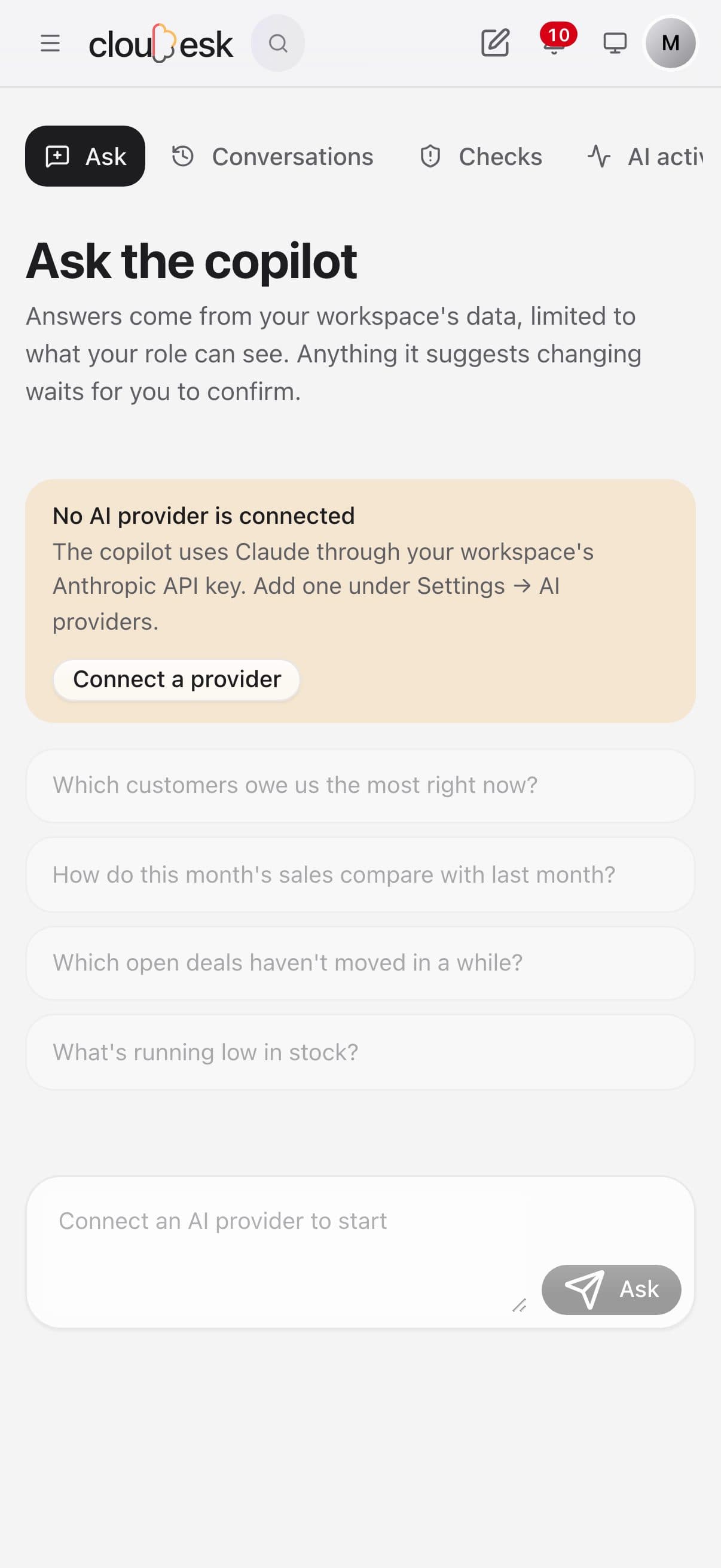
Ask Copilot on a phone

Real screenshots from the app, using a demo workspace. Checks run on fixed rules; asking questions needs your own AI provider key.

How it works

Three steps, no surprises

  1. 1

    Connect Claude

    Add your Anthropic API key under Settings → AI providers. Usage counts against your workspace's monthly AI budget.

  2. 2

    Ask

    It picks the right data — invoices, deals, stock, the ledger, projects and more — groups and totals it, and answers with the figures.

  3. 3

    Confirm what it suggests

    Follow-ups, notes and project tasks it drafts appear as cards with Confirm and Dismiss. Nothing changes until you press Confirm.

The tour

Every tool, up close.

  1. 01Checks

    A second pair of eyes on your books.

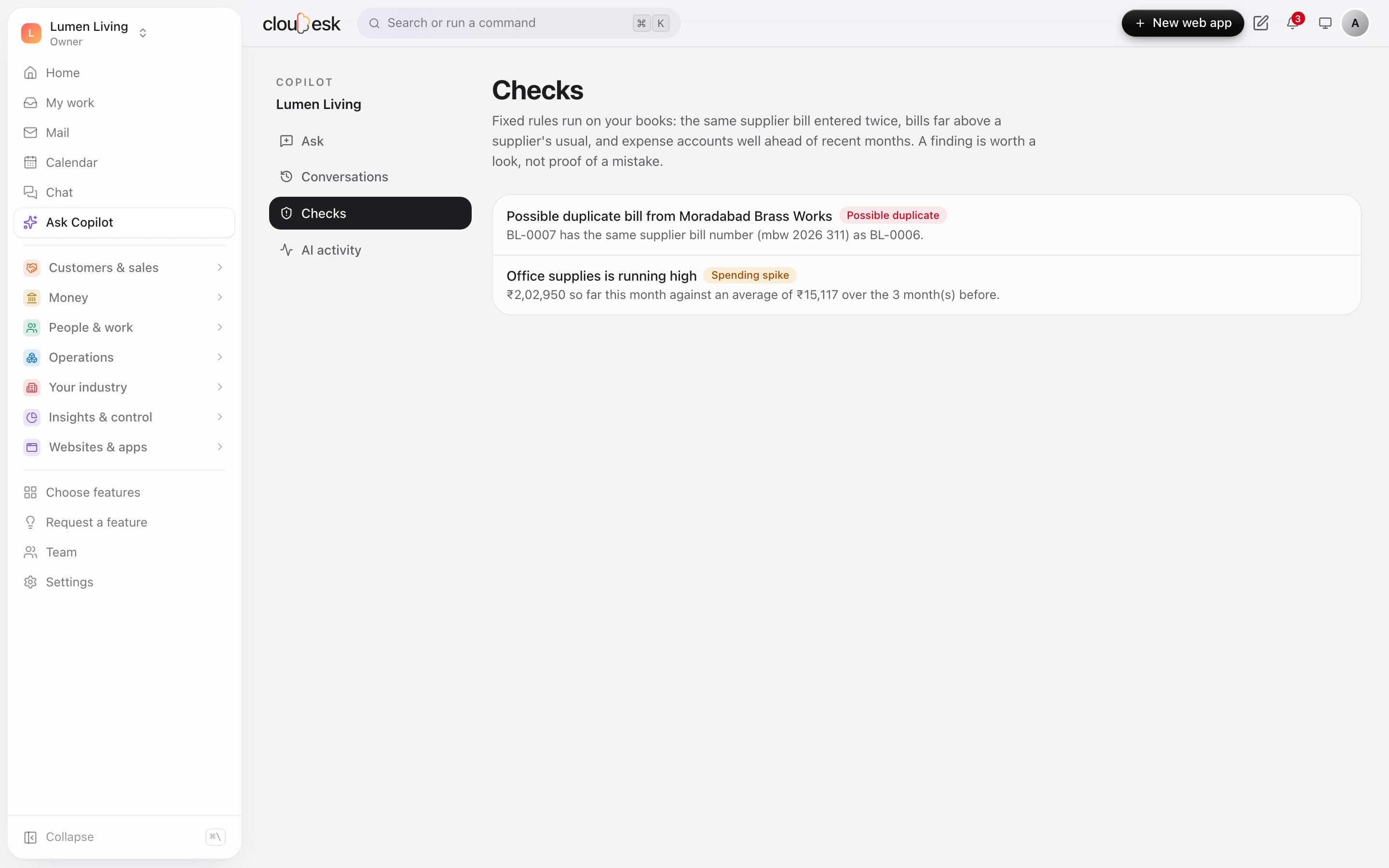
    Fixed rules look for the same supplier bill entered twice, bills far above a supplier's usual, and expense accounts well ahead of recent months. A finding is worth a look, not proof of a mistake.

    • Duplicate supplier bills
    • Unusually large bills
    • Spending spikes against recent months
    • No AI needed for checks
    Copilot checks: a possible duplicate supplier bill and an expense account running high
  2. 02Ask

    Questions in plain words, answers from your data.

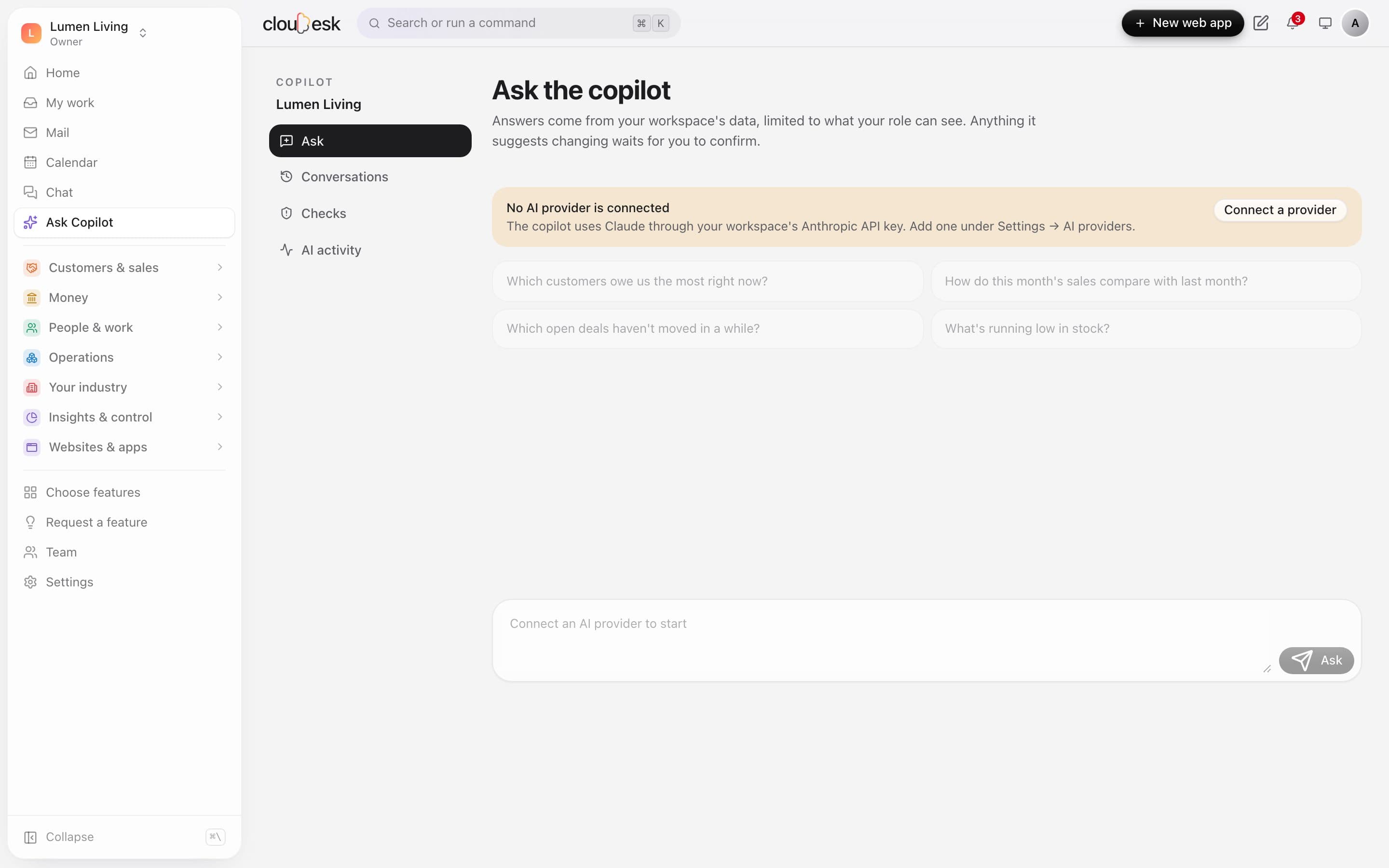
    Ask who owes you the most or how this month compares with the last. Answers come from your workspace's own data, limited to what your role can see.

    • Suggested questions to start
    • Only what your role may see
    • Conversations kept for later
    Ask the copilot, with suggested questions and the prompt to connect an AI provider
  3. 03In your control

    Nothing changes until you say so.

    The copilot uses Claude through your workspace's own Anthropic API key. Anything it suggests changing — a task, a follow-up — waits for you to confirm, and owners can see every AI call and its cost.

    • Your own API key
    • Suggested changes need a click to confirm
    • AI activity and cost for owners
    Ask the copilot, with suggested questions and the prompt to connect an AI provider

In detail

What you get with Cloudesk AI copilot

Your permissions, always

It reads through the same report engine and checks as the rest of Cloudesk: a rep who sees only their own deals gets answers about only their own deals.

Good to know

We'd rather be upfront than surprise you later:

  • You need your own Anthropic API key; without one the copilot says so and does nothing.
  • It answers from the report datasets and record search: it can't read free text inside documents or emails yet.
  • Answers come from a language model and can be wrong. Check figures that matter in the report itself.

Questions people ask

Can it change my data?+

Only after you confirm, and only the kinds of change listed above. It runs as you, so it can't do anything your role can't.

Which model does it use?+

Claude, by Anthropic, through the API key you connect.

Works beautifully with

Give it a spin — it's free to start.

Next up: Cloudesk Projects & timesheets →

Start free