All features

Cloudesk Clinic

The front desk and the doctor's room, together.

Register patients with their consent, book them in with a token for their doctor, and watch the queue move from waiting to with the doctor to done. Doctors record vitals (with BMI and readings that need attention flagged), complaints, diagnosis with an optional ICD-10 code, a prescription and the follow-up date — then sign it, after which it can only be added to. The front desk bills and takes payments; clinical notes stay with the clinicians, and every look at them is logged.

The clinic on a phone

Real screenshots from the app, using a demo workspace.

How it works

Three steps, no surprises

  1. 1

    Choose your clinicians

    They're the doctors who can be booked and the only ones who see clinical notes.

  2. 2

    Run the day

    Register, book a token, mark arrival — the doctor starts the consultation from the queue.

  3. 3

    Prescribe and bill

    Print the prescription; bill consultations and procedures with your fees, and take payment.

The tour

Every tool, up close.

  1. 01Today

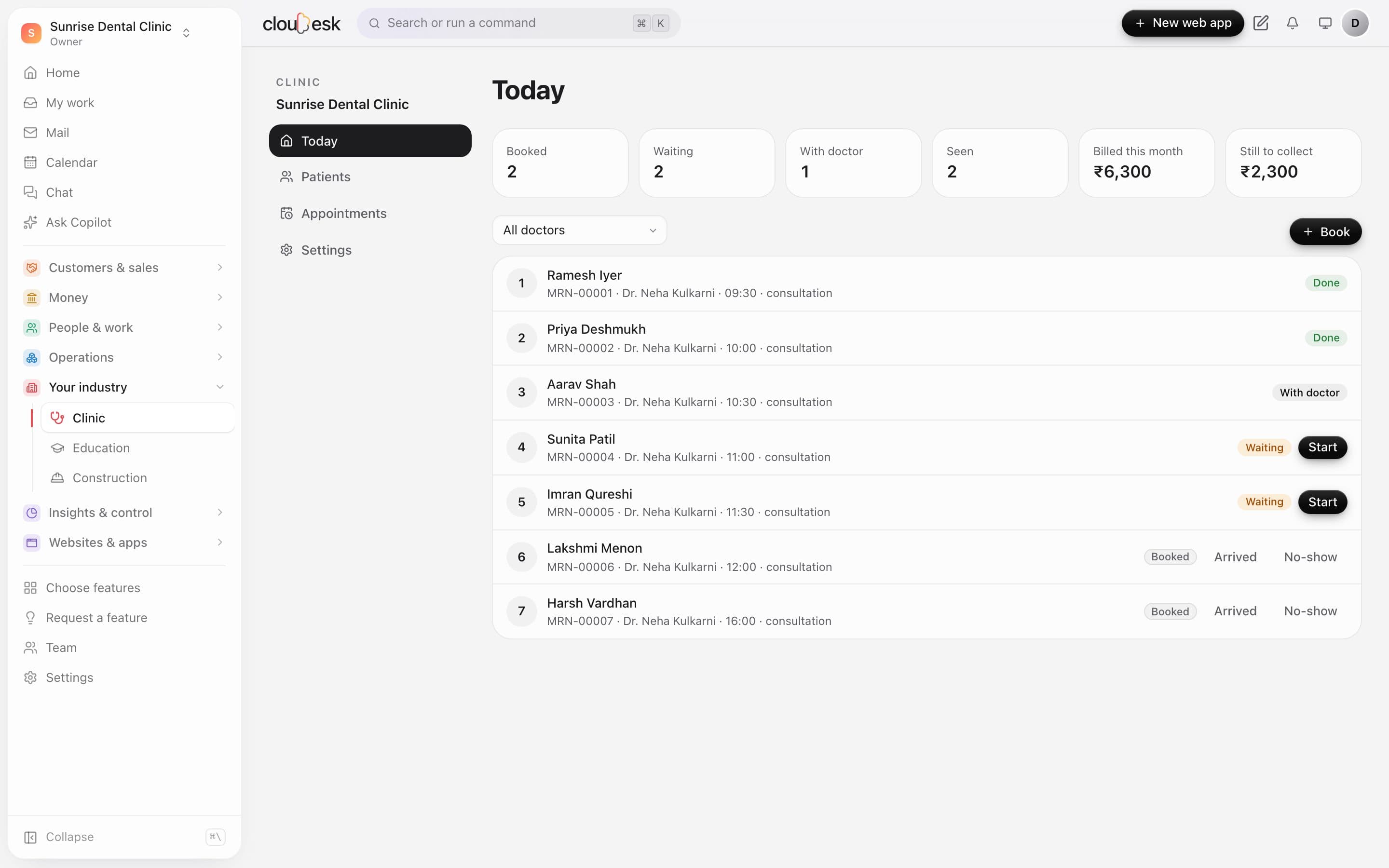
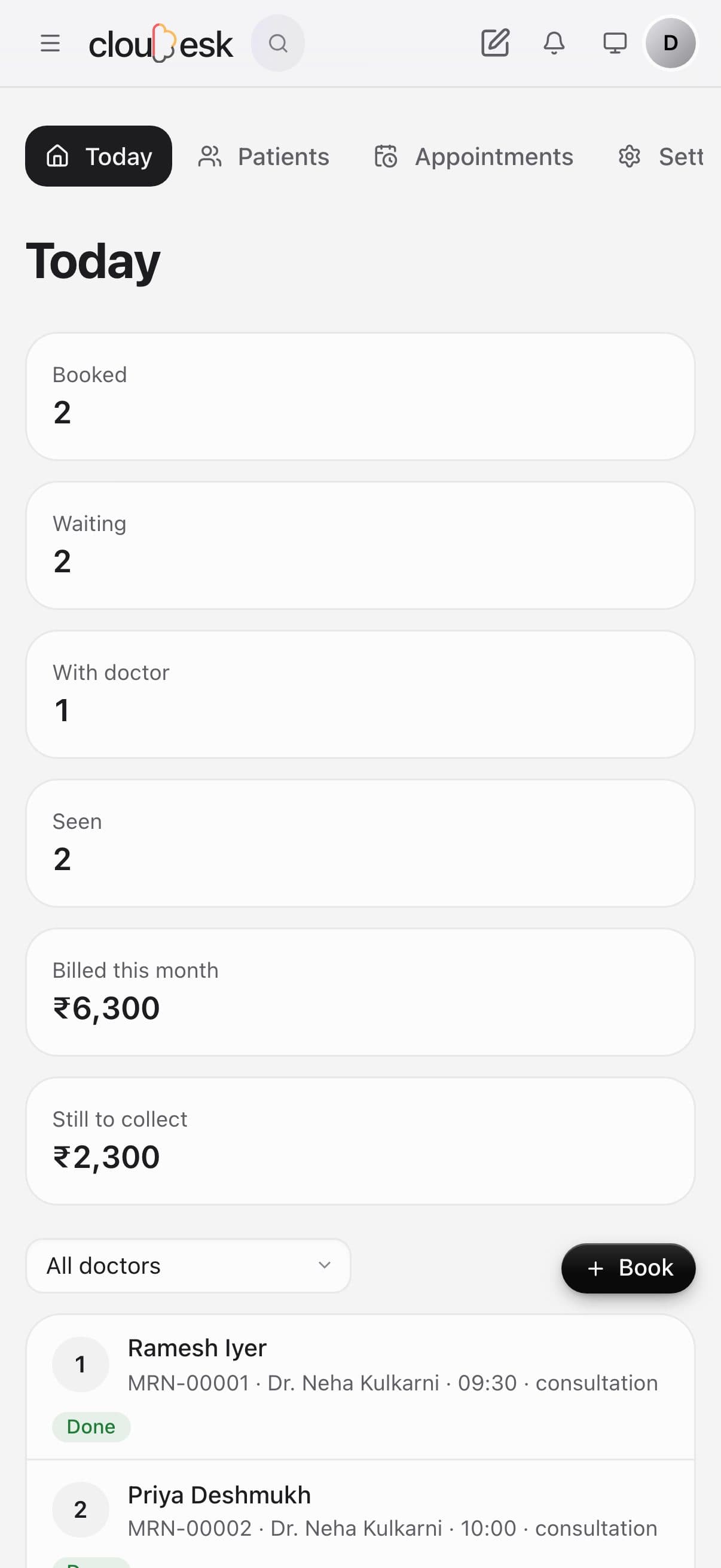
    The whole day's queue, at a glance.

    Book appointments, give tokens, and move each patient from waiting to with the doctor to done. The day's billing and what's still to collect sit right above.

    • Token numbers per doctor
    • Arrived, waiting, with doctor, done
    • No-shows marked in one tap
    • Billed today and still to collect
    Today at the clinic: tokens, who's waiting, who's with the doctor, and money still to collect
  2. 02Consultations

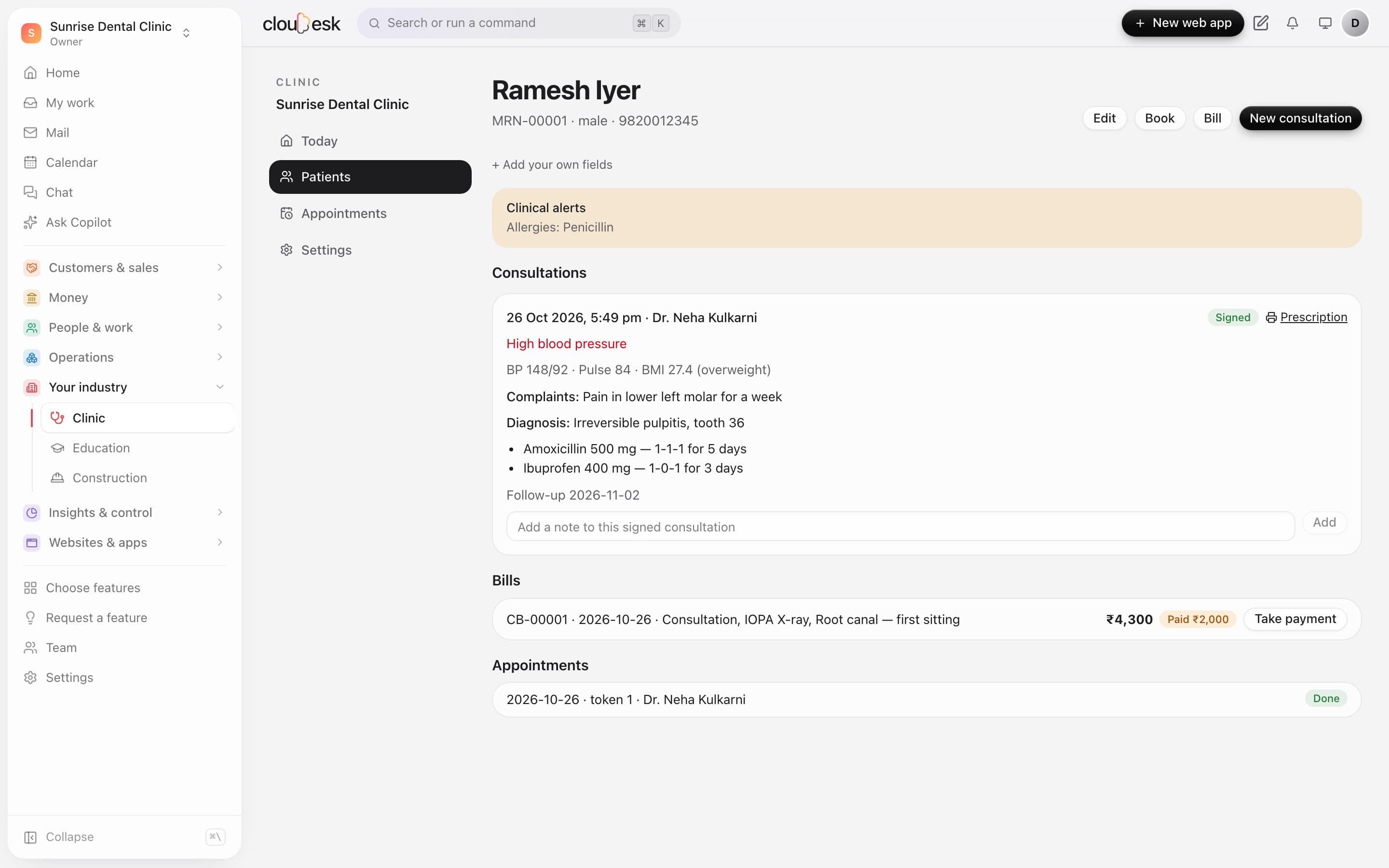
    Vitals, diagnosis and prescription — signed.

    Record vitals, complaints, diagnosis and the prescription, then sign. A signed consultation can't be edited — only added to — and allergies stay at the top of every visit.

    • Allergy alerts up front
    • Vitals flagged when out of range
    • Signed notes locked, with addenda
    • Bills and payments on the same page
    A patient's page: allergy alert, a signed consultation, the bill and appointments
  3. 03Prescriptions

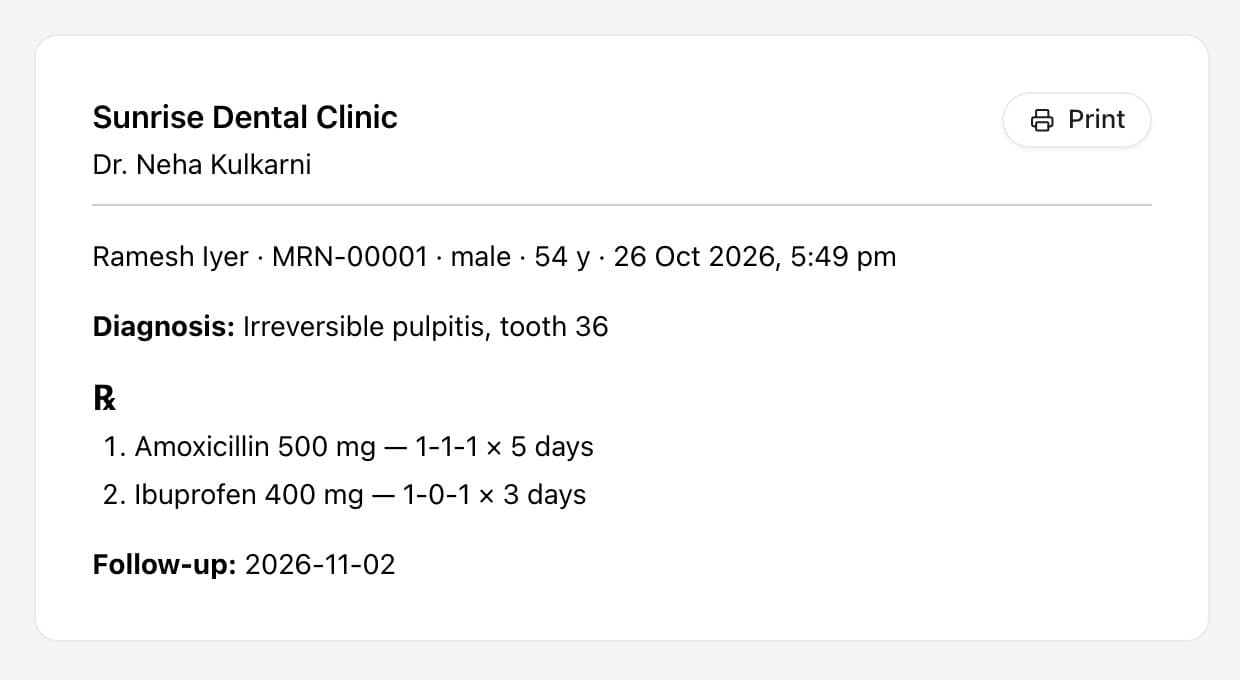
    A clean prescription to print or share.

    Every signed consultation has a printable prescription with the clinic, doctor, diagnosis, each medicine's dose and days, and the follow-up date.

    • Medicine, dose and days
    • Follow-up date
    • Clinic and doctor on top
    A printable prescription for a dental patient
  4. 04Records

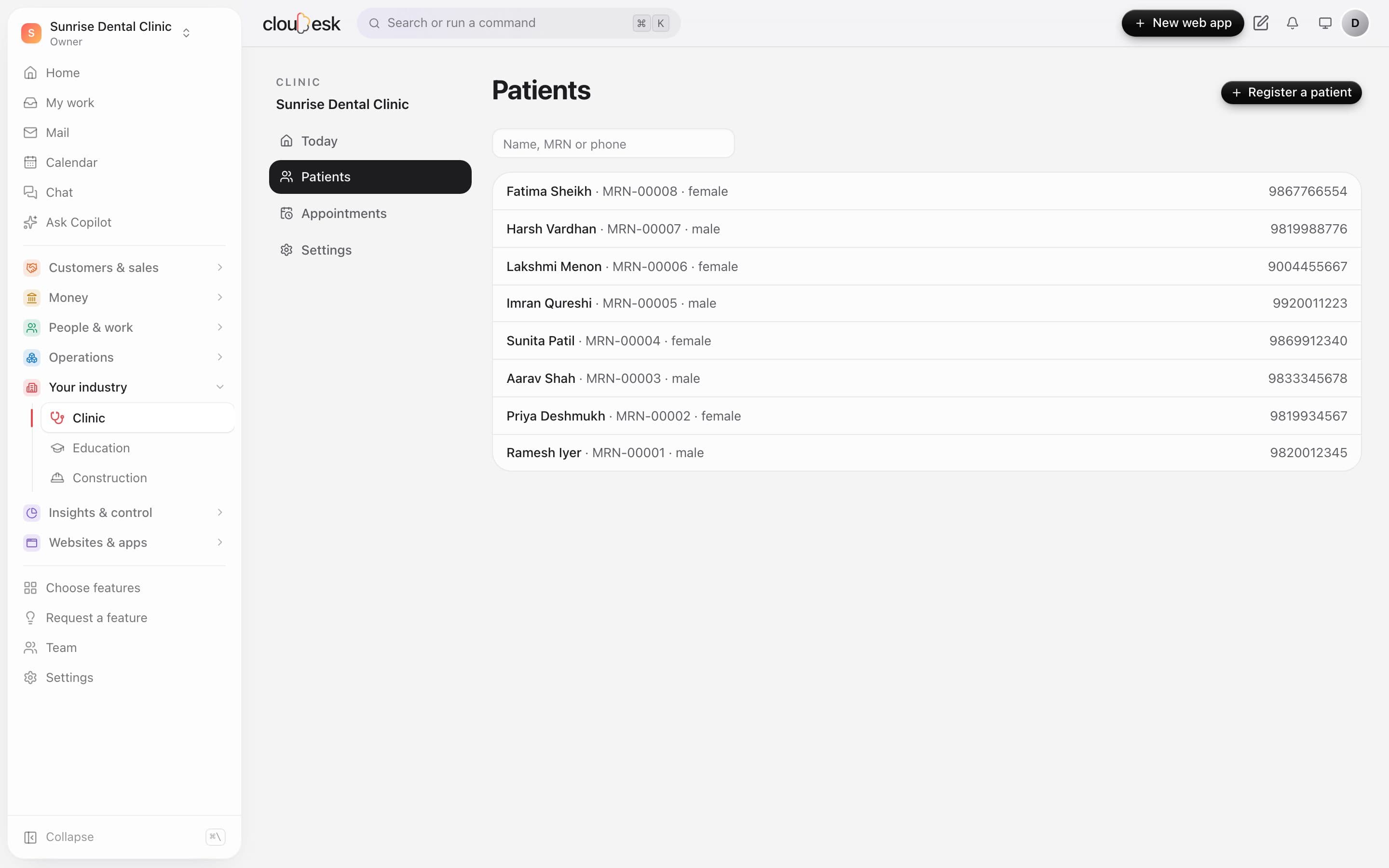
    Every patient, one search away.

    Each patient gets a record number. Find anyone by name, number or phone, with consent recorded when they register.

    • Medical record numbers
    • Search by name, MRN or phone
    • Consent at registration
    The patient list with MRN numbers and phone

In detail

What you get with Cloudesk Clinic

A queue that's clear

Tokens per doctor and day, overlapping times refused, statuses from booked to done.

Good to know

We'd rather be upfront than surprise you later:

  • This is a clinic record for your practice, not an ABHA-linked health record; there's no ABDM integration.
  • No lab, pharmacy inventory or insurance claim workflow yet — record insurance as a payment method.
  • SMS/WhatsApp appointment reminders need a messaging provider, which isn't built in yet.

Questions people ask

Can the receptionist read diagnoses?+

No. The front desk sees details, appointments and bills; clinicians see the consultations.

Can a consultation be corrected after signing?+

It can't be changed, but any clinician can add a dated note to it.

Works beautifully with

Give it a spin — it's free to start.

Next up: Cloudesk Construction →

Start free