All features

Publishing & domains

Publish with confidence. Undo with one click.

Every publish is checked first — broken links, missing alt text, sample content — and every version can be rolled back instantly. Bring your own domain whenever you're ready.

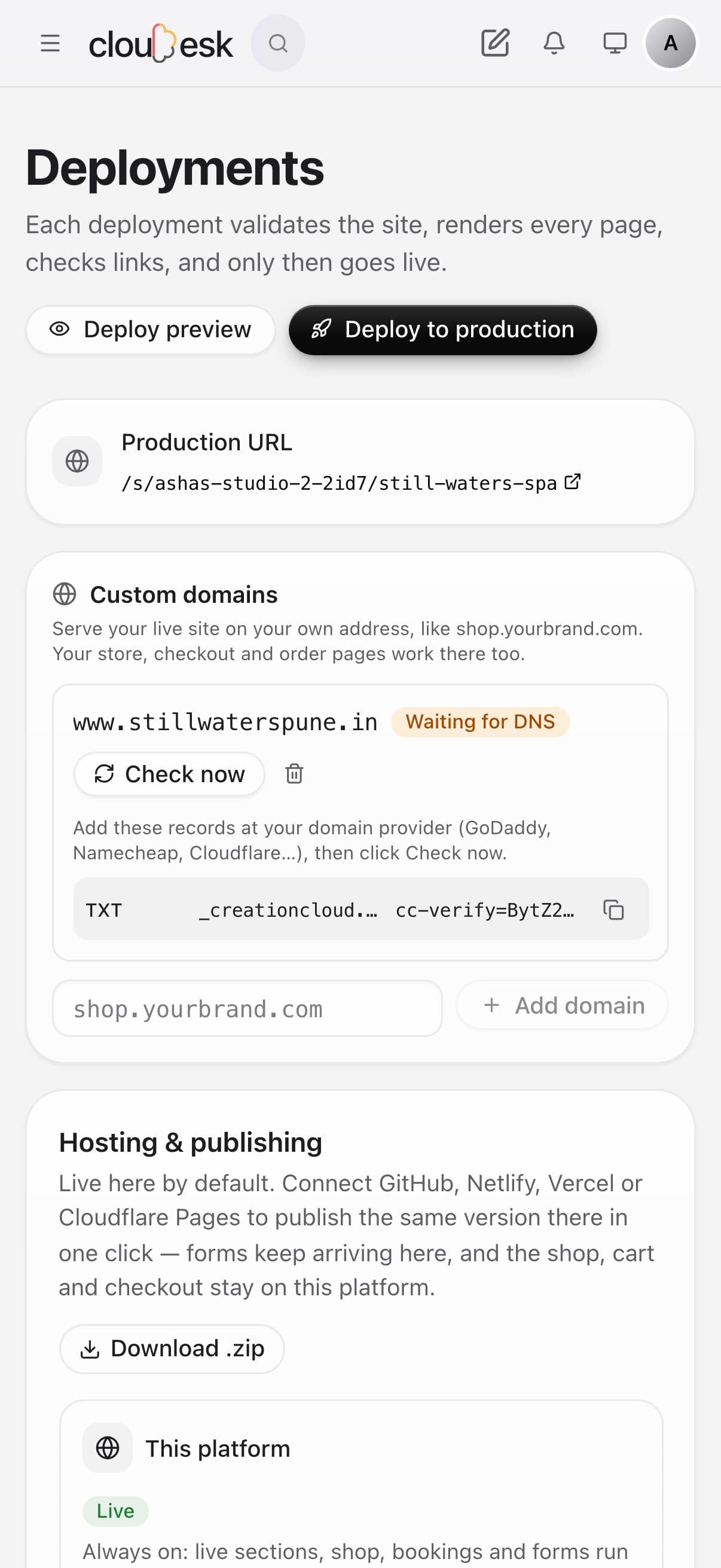
Connecting a domain on a phone

Real screenshots from a demo site's Deployments page.

How it works

Three steps, no surprises

  1. 1

    Preview first

    Share a preview link with anyone before the world sees it.

  2. 2

    Publish to production

    We check every page, then switch your live site over in one go.

  3. 3

    Connect your domain

    Add yourbrand.com, set two DNS records at your registrar, and we verify them for you.

The tour

Every tool, up close.

  1. 01Publishing

    Preview it, check it, then make it live.

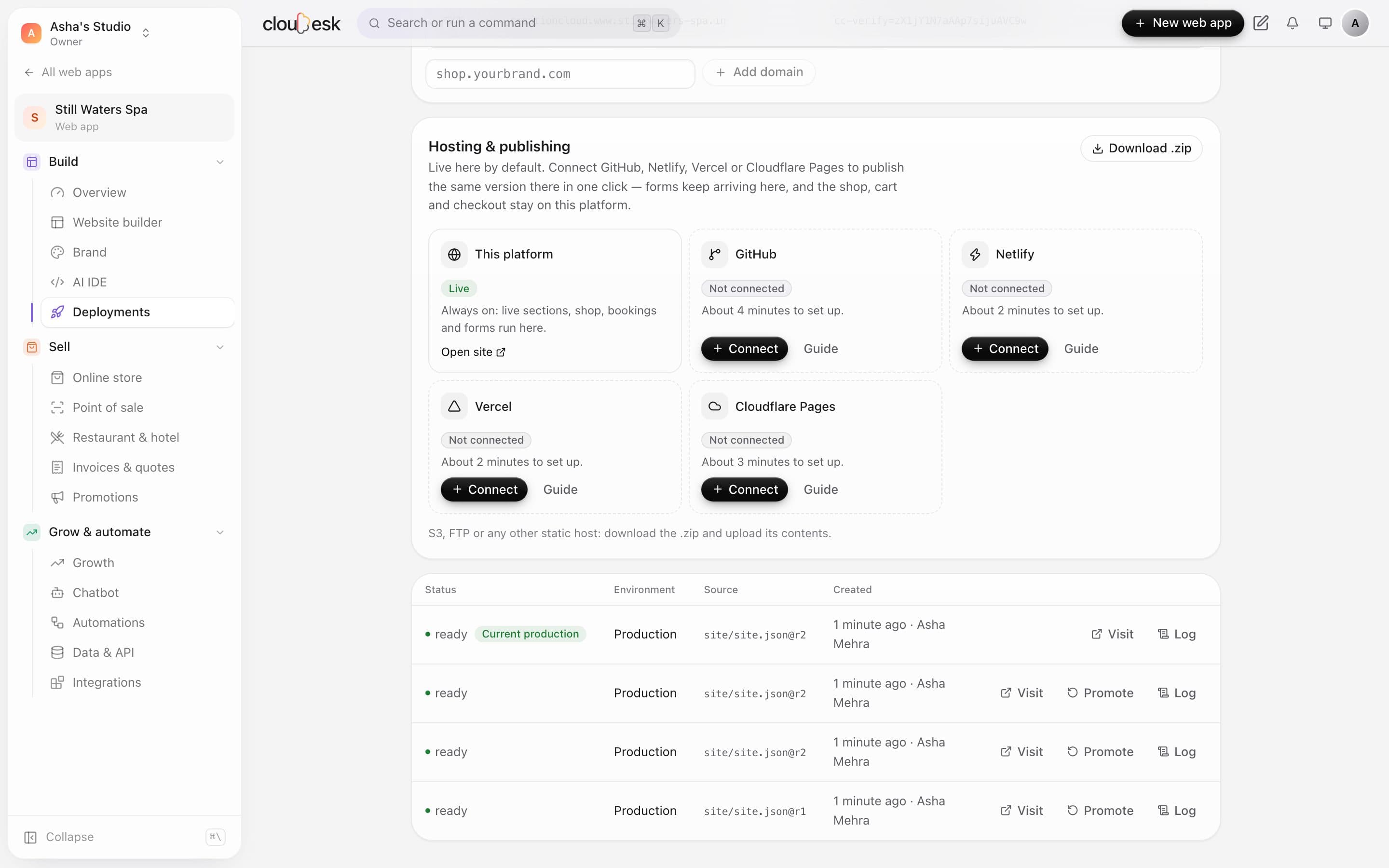
    Every deploy checks your pages and links before it goes out. Each one is kept, so you can put an earlier version back in a click.

    • Separate preview and production deploys
    • Checks before anything goes live
    • Promote any earlier deploy back
    The deployments list with the current production deploy
  2. 02Your own domain

    Bring the domain you bought anywhere.

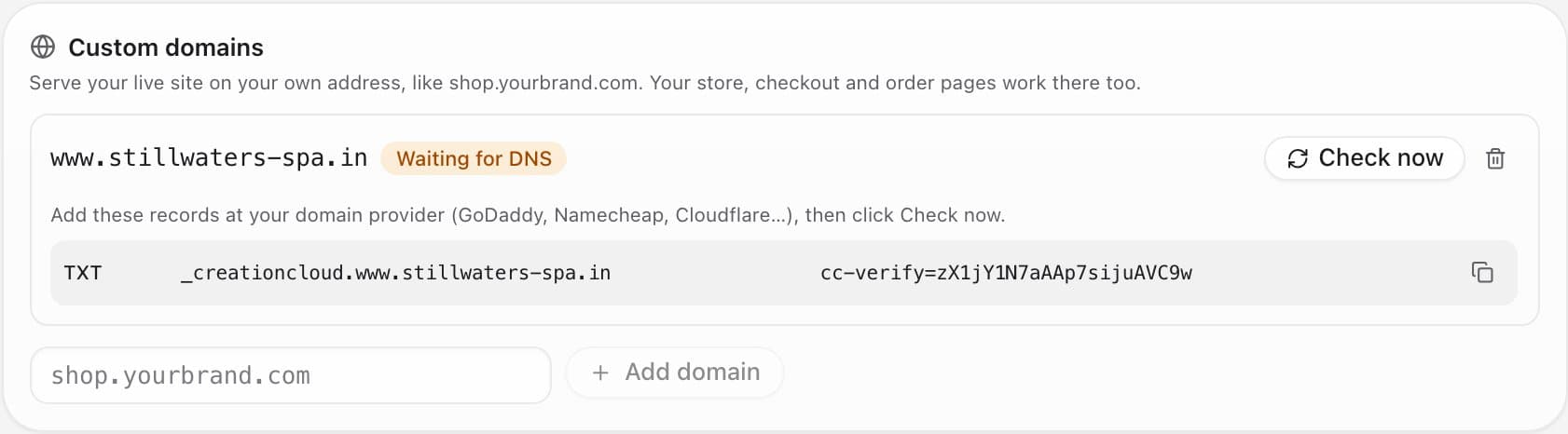
    Add your domain and we show the exact record to paste at GoDaddy, Namecheap, Cloudflare or anyone else. Click Check now and we tell you what's still missing.

    • Copy-paste DNS records
    • Clear status: waiting, failing or connected
    • Up to five domains per site
    A custom domain waiting for DNS, with the TXT record to add
  3. 03No surprises

    A plain-English log of every deploy.

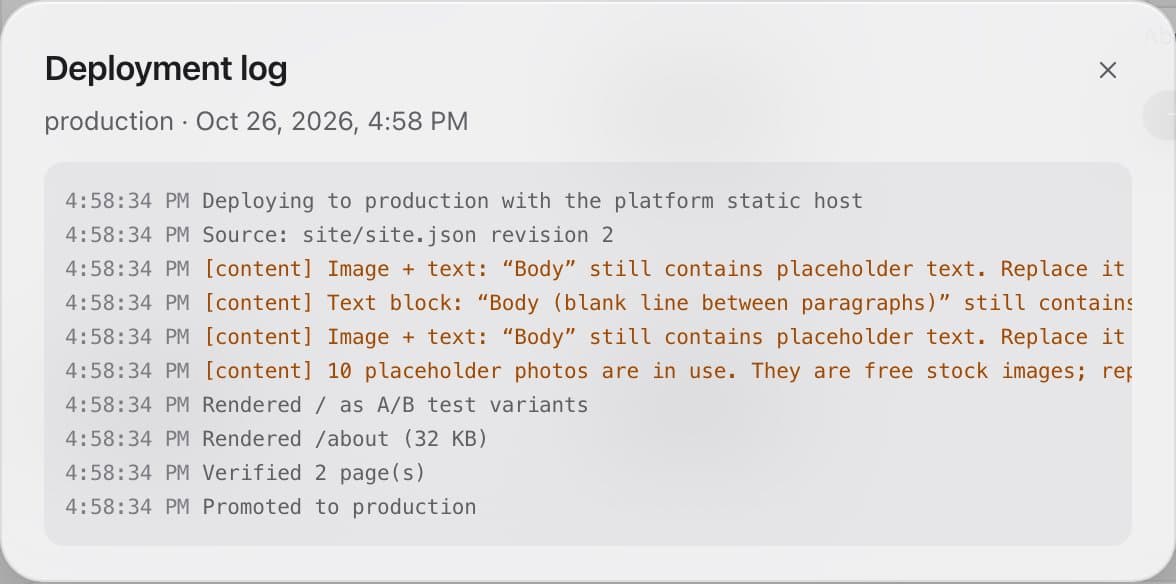
    See what was rendered, what was checked and anything worth fixing — like placeholder text or stock photos still in use.

    • Warnings you can act on
    • Which pages and A/B variants were built
    • Who deployed, and when
    The deployment log with rendering steps and content warnings

In detail

What you get with Publishing & domains

Checks before you go live

Links, accessibility basics and leftover sample content are flagged before publishing.

Good to know

We'd rather be upfront than surprise you later:

  • Custom domains are part of the Pro and Business plans.
  • Secure HTTPS on custom domains needs the server's edge proxy configured by whoever runs it. We don't sell domains — buy one from any registrar.

Questions people ask

Do I need a domain to start?+

No — you get a free address immediately and can add your domain later.

What if I publish a mistake?+

Roll back to the previous version in one click. No drama.

Works beautifully with

Give it a spin — it's free to start.

Next up: AI code editor →

Start free