All features

Cloudesk Education

Run the school office from one place.

Admit students into classes, set a fee plan once — tuition, transport, labs, split into terms — and raise it for everyone with each child's concession applied. Take fees by UPI, cash or cheque with a numbered receipt, see who owes what, and let Cloudesk remind guardians before and after the due date. Teachers mark attendance in a tap and enter exam marks; report cards with grades and ranks follow.

The school on a phone

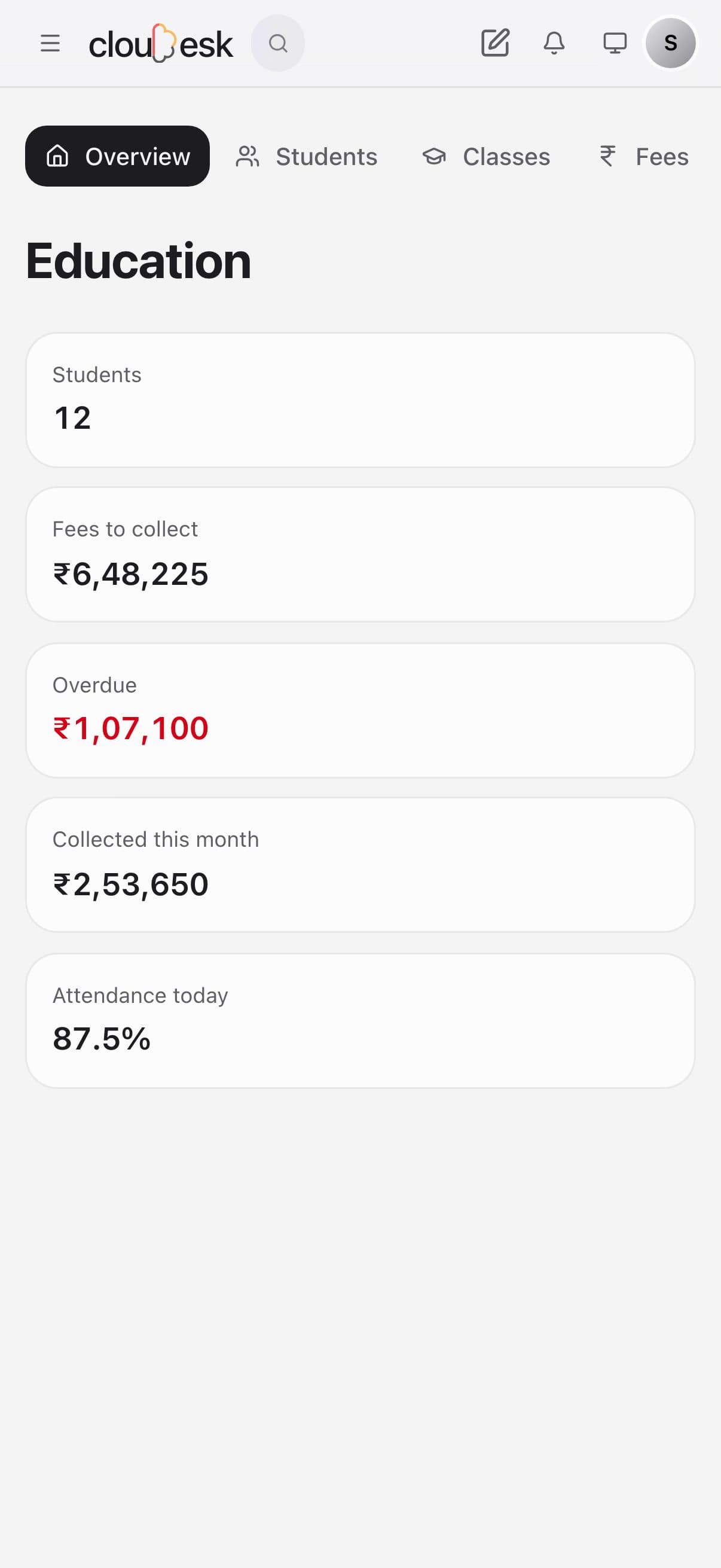
Real screenshots from the app, using a demo workspace.

How it works

Three steps, no surprises

  1. 1

    Add classes and students

    Or bring your admission register over from Excel — classes are matched by name.

  2. 2

    Set fee plans

    Heads, instalments with due dates, which heads concessions apply to, and GST for coaching.

  3. 3

    Collect and teach

    Payments with receipts, dues and reminders; attendance and marks by class.

The tour

Every tool, up close.

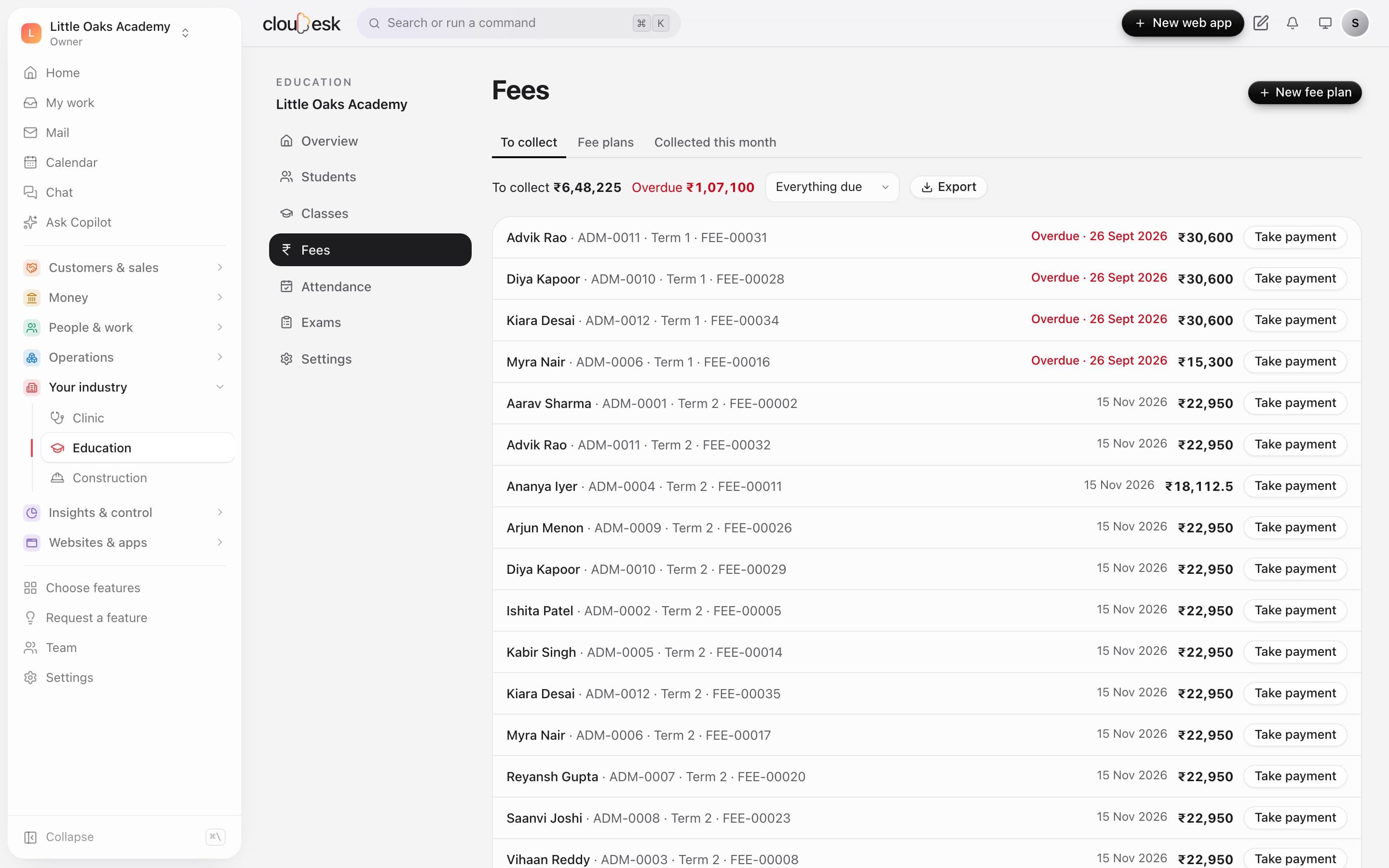
  1. 01Fees

    Fees raised, collected and chased.

    Set a fee plan once — heads, instalments and due dates — and raise it for whole classes. Take payments by UPI, cash or bank, and see what's overdue at a glance.

    • Fee heads and term instalments
    • Concessions per student
    • UPI, cash or bank payments
    • Overdue shown in red
    Fees to collect: overdue term fees in red and a Take payment button on each
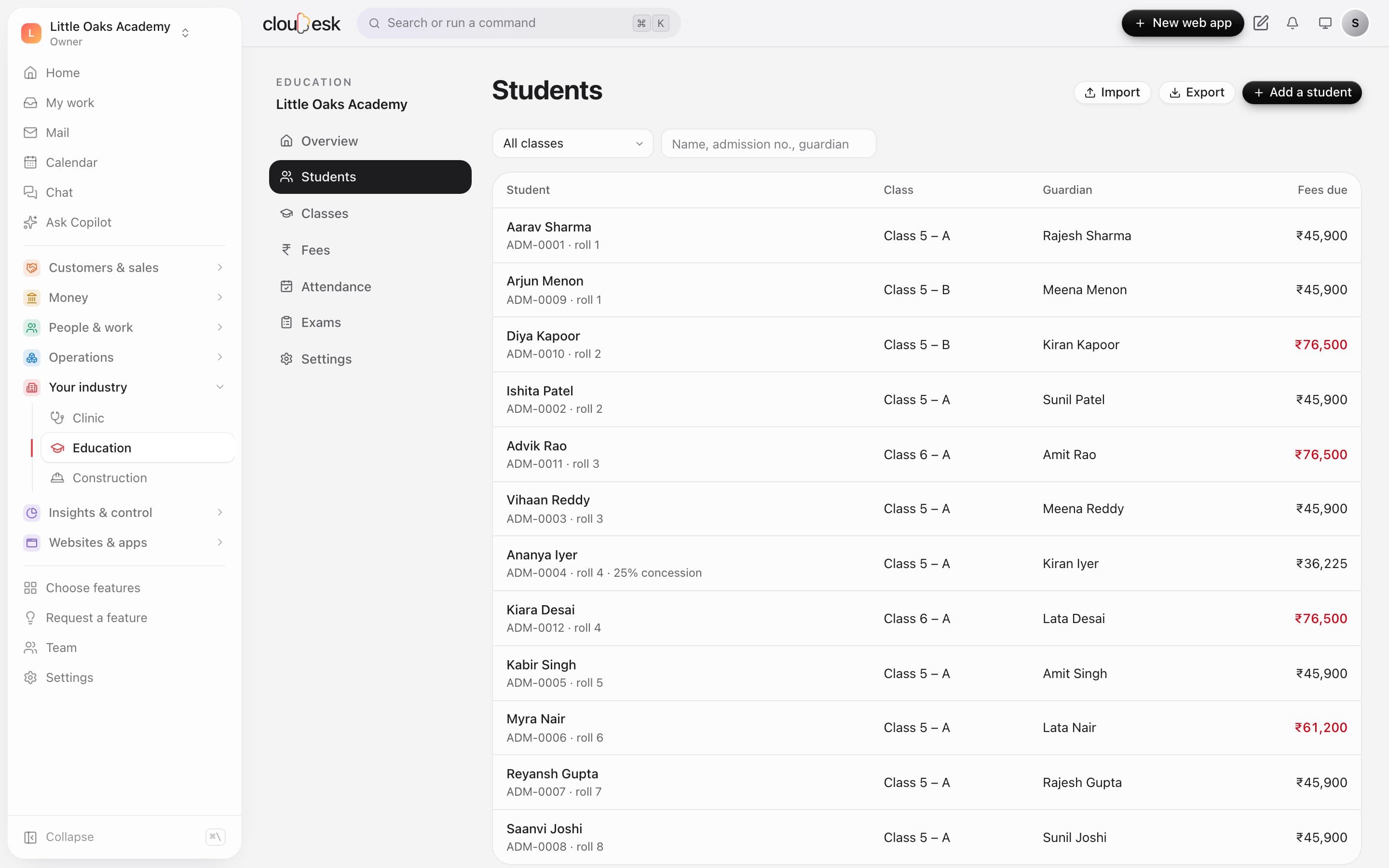
  2. 02Students

    Every student, guardian and rupee due.

    Students with their class, roll number, guardian and fees due — concessions noted. Bring the whole school in from a spreadsheet.

    • Admission numbers given for you
    • Guardian details
    • Import from Excel or CSV
    Students with class, guardian, concessions and fees due
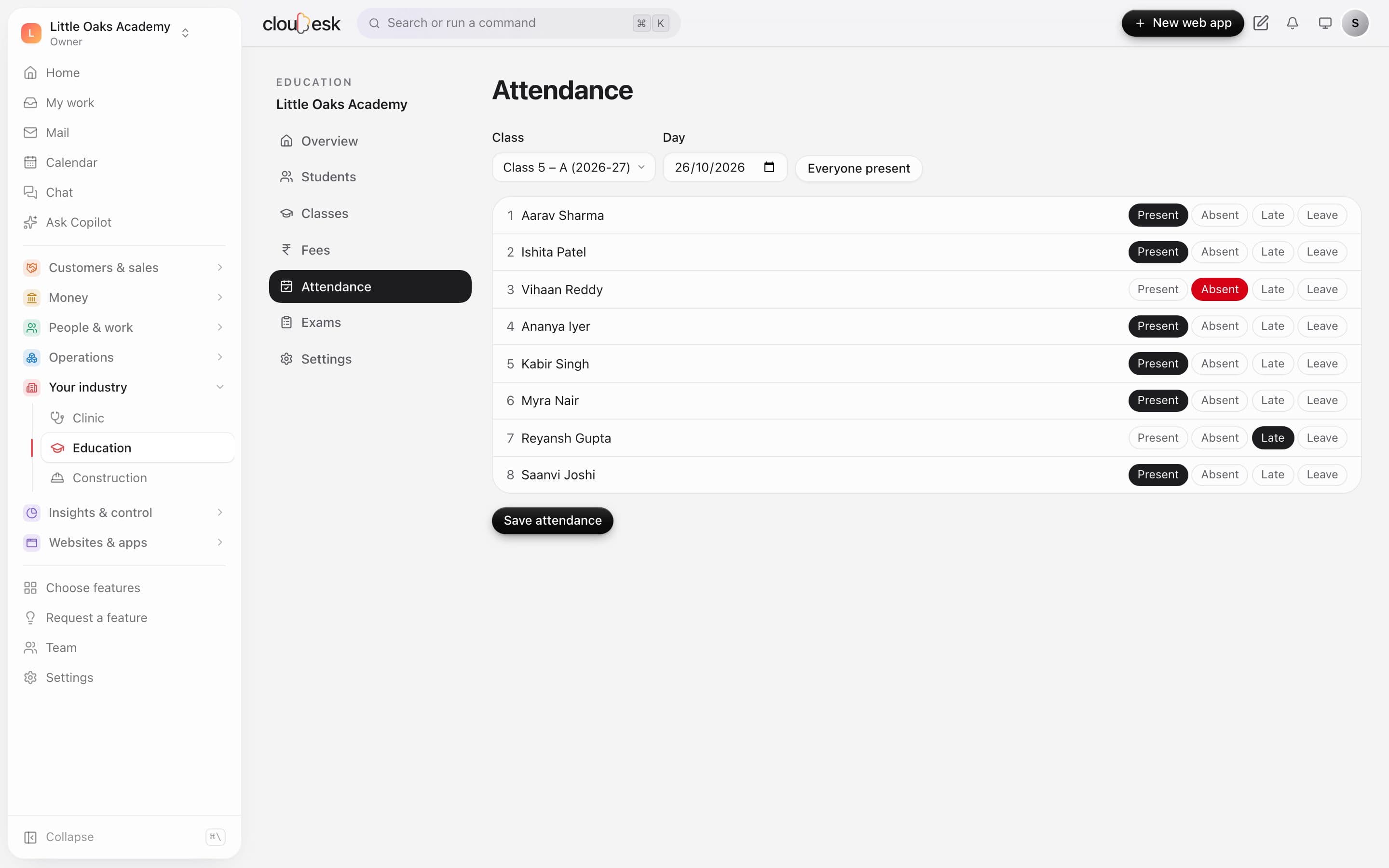
  3. 03Attendance

    The register in under a minute.

    Pick the class and day, tap everyone present, then mark the few who are absent, late or on leave.

    • Present, absent, late or leave
    • Everyone present in one tap
    • Monthly view per class
    Marking today's attendance for Class 5 A
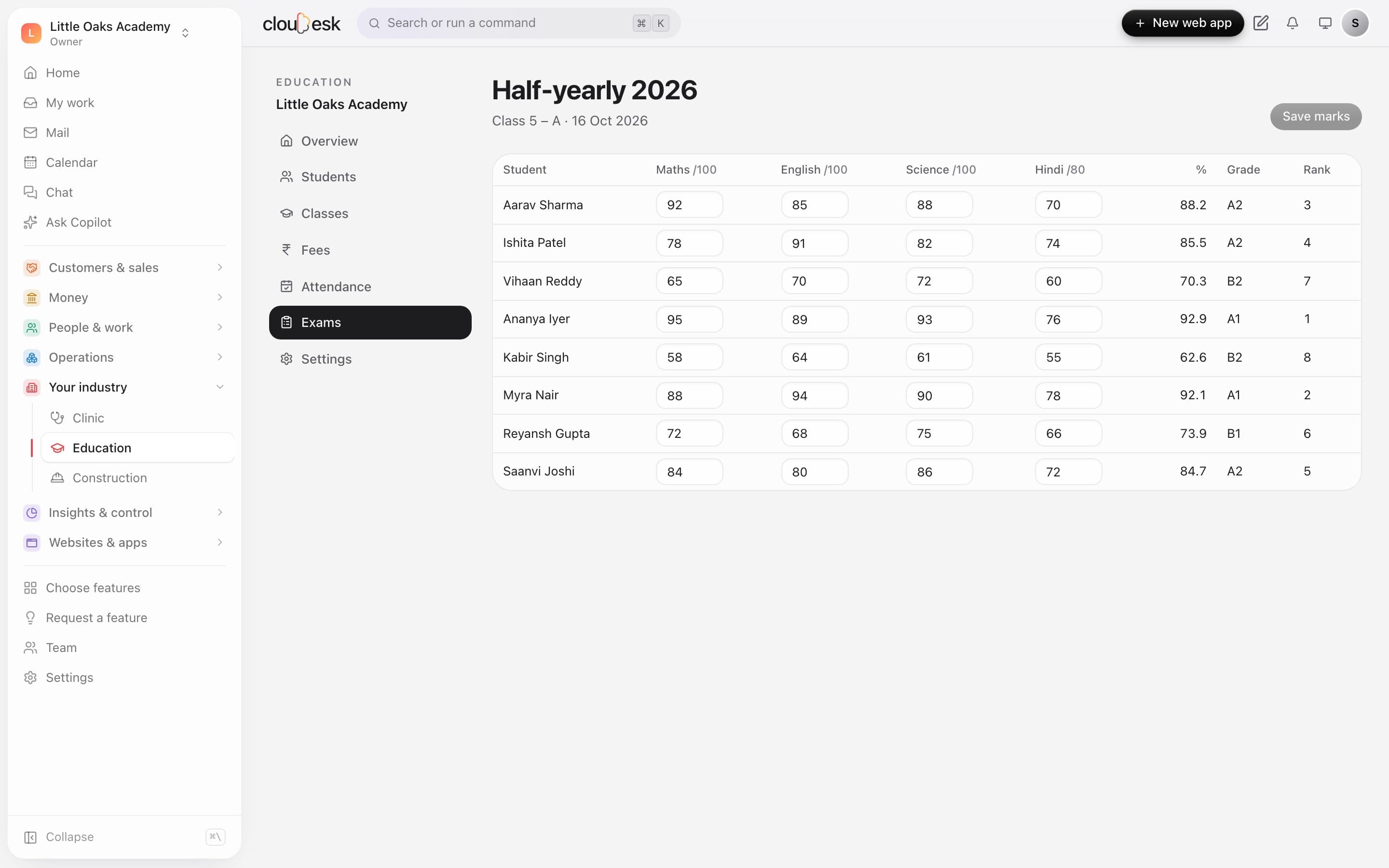
  4. 04Exams

    Marks in, grades and ranks out.

    Enter marks subject by subject; percentage, grade and class rank are worked out as you go.

    • Your subjects and maximum marks
    • Percentage, grade and rank
    • Marks checked against the maximum
    Half-yearly marks with percentage, grade and rank

In detail

What you get with Cloudesk Education

Fees that add up

Instalments split to the paisa, concessions per student, waivers with a reason, part payments.

Good to know

We'd rather be upfront than surprise you later:

  • Reminders go by email; SMS and WhatsApp need a messaging provider, which isn't built in yet.
  • Fee GST is split as CGST and SGST (an intra-state supply).
  • There's no timetable, transport routing or library module yet.

Questions people ask

Can parents pay online?+

Not from Cloudesk yet — record UPI, card, cash, bank or cheque payments as they come in, each with a receipt.

Who can give concessions?+

Owners and admins. Teachers can mark attendance and enter marks; the office can raise fees and take payments.

Works beautifully with

Give it a spin — it's free to start.

Next up: Cloudesk Governance, risk & compliance →

Start free