All features

AI code editor

For when you want to peek under the hood.

The same project opens in a browser code editor. Ask AI for a change, see the exact diff, and accept or reject it. Run scripts in a safe sandbox, and edit files live with your team.

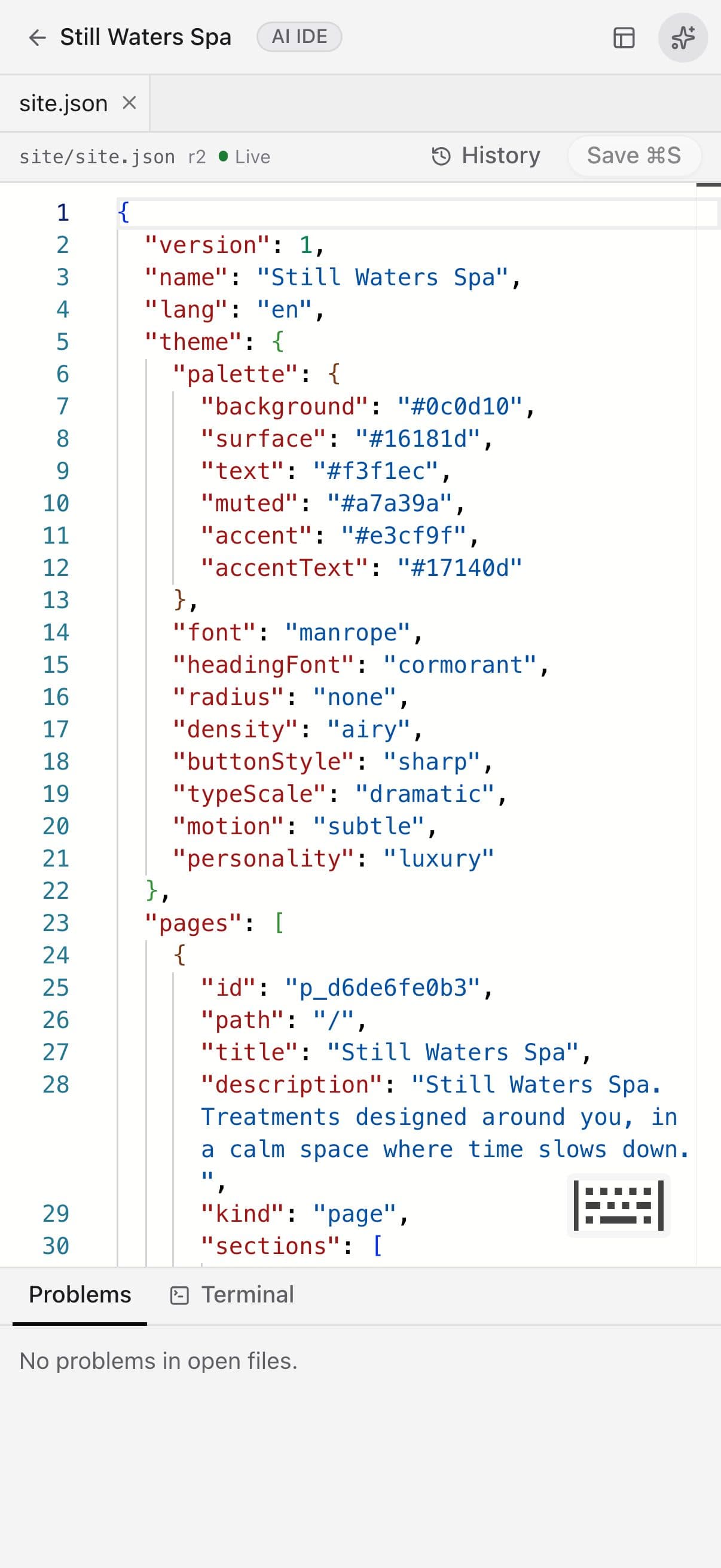
The AI code editor on a phone

Real screenshots of the code editor on a demo project.

How it works

Three steps, no surprises

  1. 1

    Open your project

    Every file — including the design document the builder edits — in a familiar editor.

  2. 2

    Ask for a change

    Describe what you want; AI proposes a diff you can read before anything changes.

  3. 3

    Accept, run, ship

    Accept or reject, run scripts in the terminal, then publish as usual.

The tour

Every tool, up close.

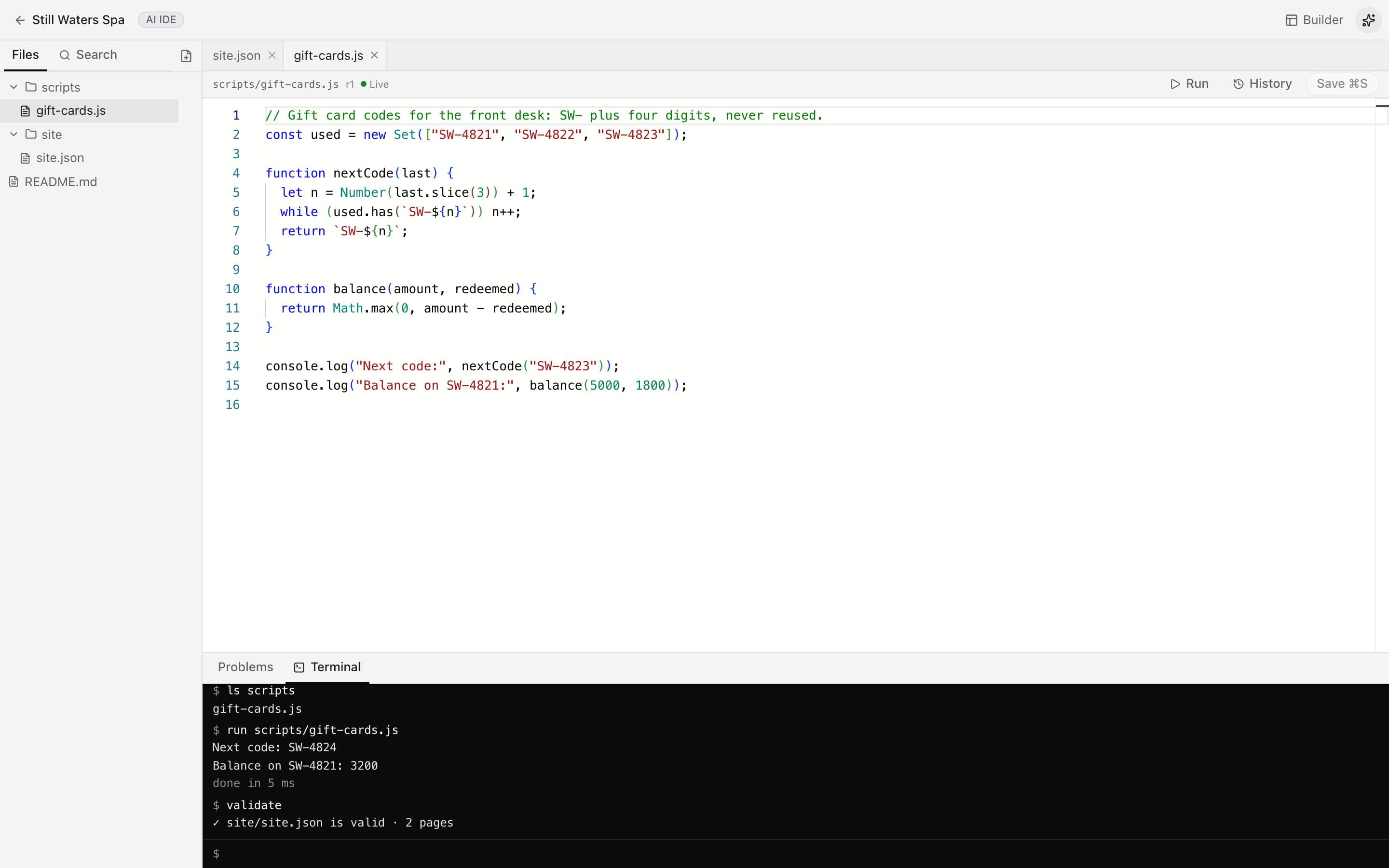
  1. 01Code when you want it

    Your whole project as files, in a real editor.

    Everything you build is plain files you can open, search and change. Edits here and in the visual builder stay in sync.

    • Syntax highlighting and search across files
    • History for every file
    • Problems listed as you type
    A JavaScript file open in the editor with a terminal below
  2. 02Terminal

    Run scripts in a safe sandbox.

    List files, run JavaScript, check that your site is valid — without anything leaving the sandbox or touching your live site.

    • ls, cat, run, validate and more
    • Scripts run in an isolated sandbox
    • Type help for every command
    The terminal running a script and validating the site
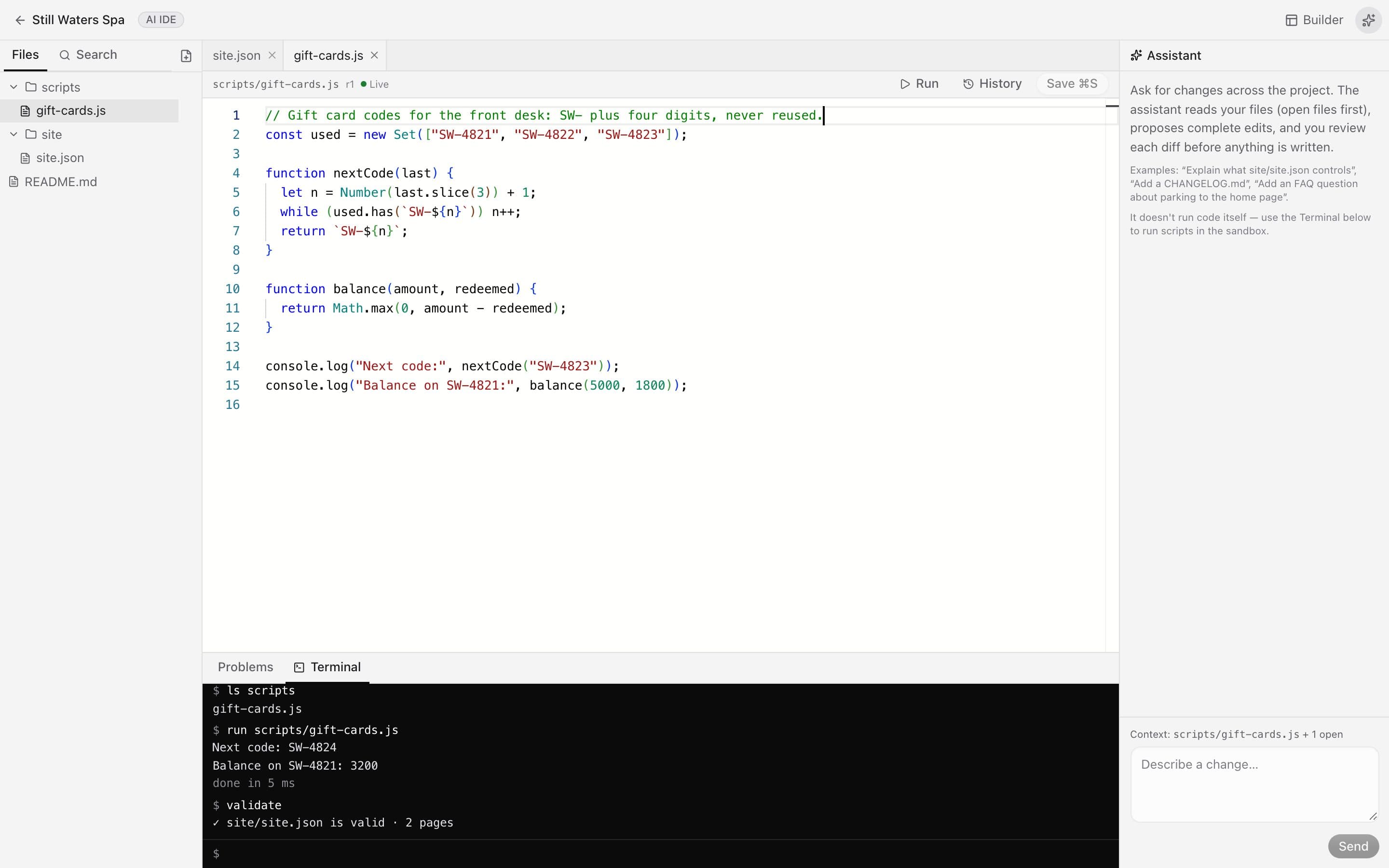
  3. 03Coding assistant

    Describe a change. Review the diff before it's applied.

    The assistant reads your project and proposes complete edits. Nothing changes until you've looked at the diff and said yes.

    • Proposes edits across files
    • You review every change first
    • Needs an AI provider connected
    The coding assistant panel beside the editor

In detail

What you get with AI code editor

Diffs, not surprises

AI never edits silently — you review every change line by line.

Good to know

We'd rather be upfront than surprise you later:

  • Python and full Node.js run only if the server enables its Docker runner.
  • AI changes need an AI provider key connected in Settings.

Questions people ask

Do I have to code?+

Not at all — this is optional. Most people never open it.

Will AI break my site?+

It can't change anything until you accept its diff, and every version can be restored.

Works beautifully with

Give it a spin — it's free to start.

Next up: Automations & integrations →

Start free