All features

Invoicing & Finance

Invoices you're proud to send. Money you can actually see.

GST invoices, quotations your clients accept online, payments, reminders and reports — on its own under Finance, or inside any project. Use our designs or upload the invoice format you already love.

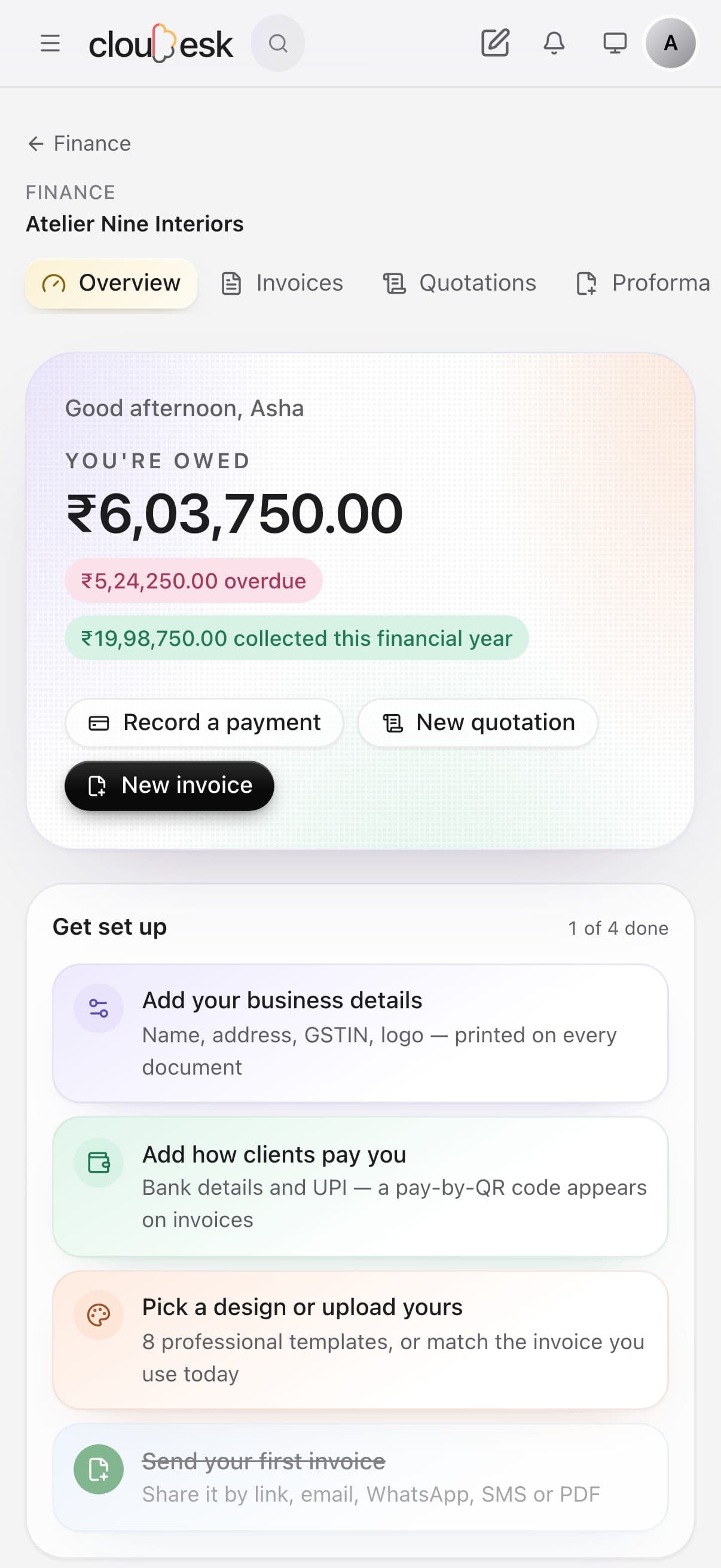
Invoicing and money owed, on a phone

Real screenshots from Finance, using a demo business and its demo data.

How it works

Three steps, no surprises

  1. 1

    Make it look like you

    Pick one of 8 professional designs, or upload your current invoice and have it matched.

  2. 2

    Send it any way

    Link, email, WhatsApp, SMS, QR code or PDF. Clients can pay by UPI straight from it.

  3. 3

    Watch it get paid

    Record payments, send gentle reminders, and see what you're owed — at a glance.

The tour

Every tool, up close.

  1. 01Overview

    Every rupee, at a glance.

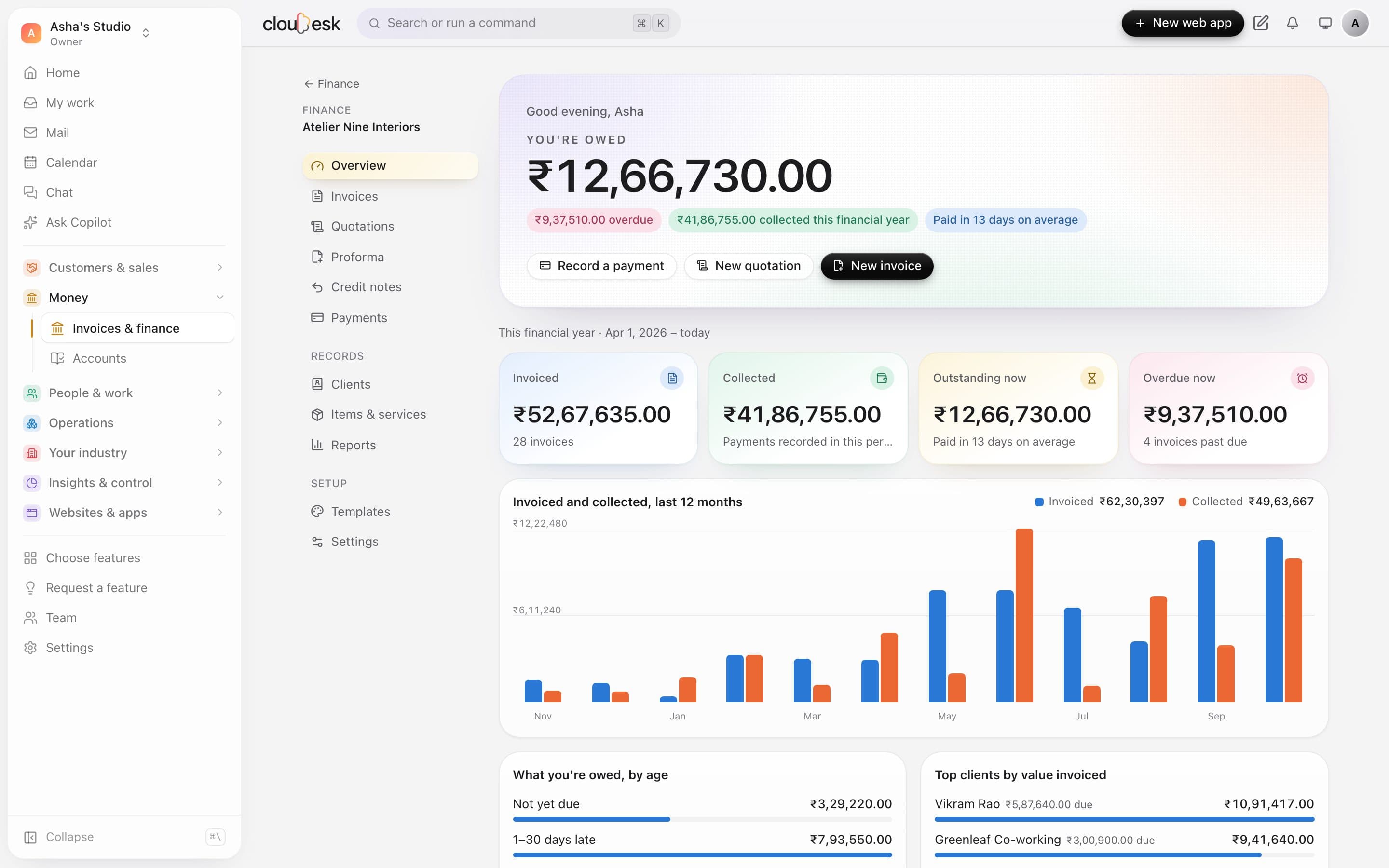
    Open Finance and see what you're owed, what's overdue and what's come in this financial year — worked out from your own invoices and payments, never estimated.

    • You're owed, overdue and collected — this financial year
    • How many days clients take to pay, on average
    • Invoiced vs collected, month by month
    The Finance overview with totals and a 12-month invoiced and collected chart
  2. 02Invoices

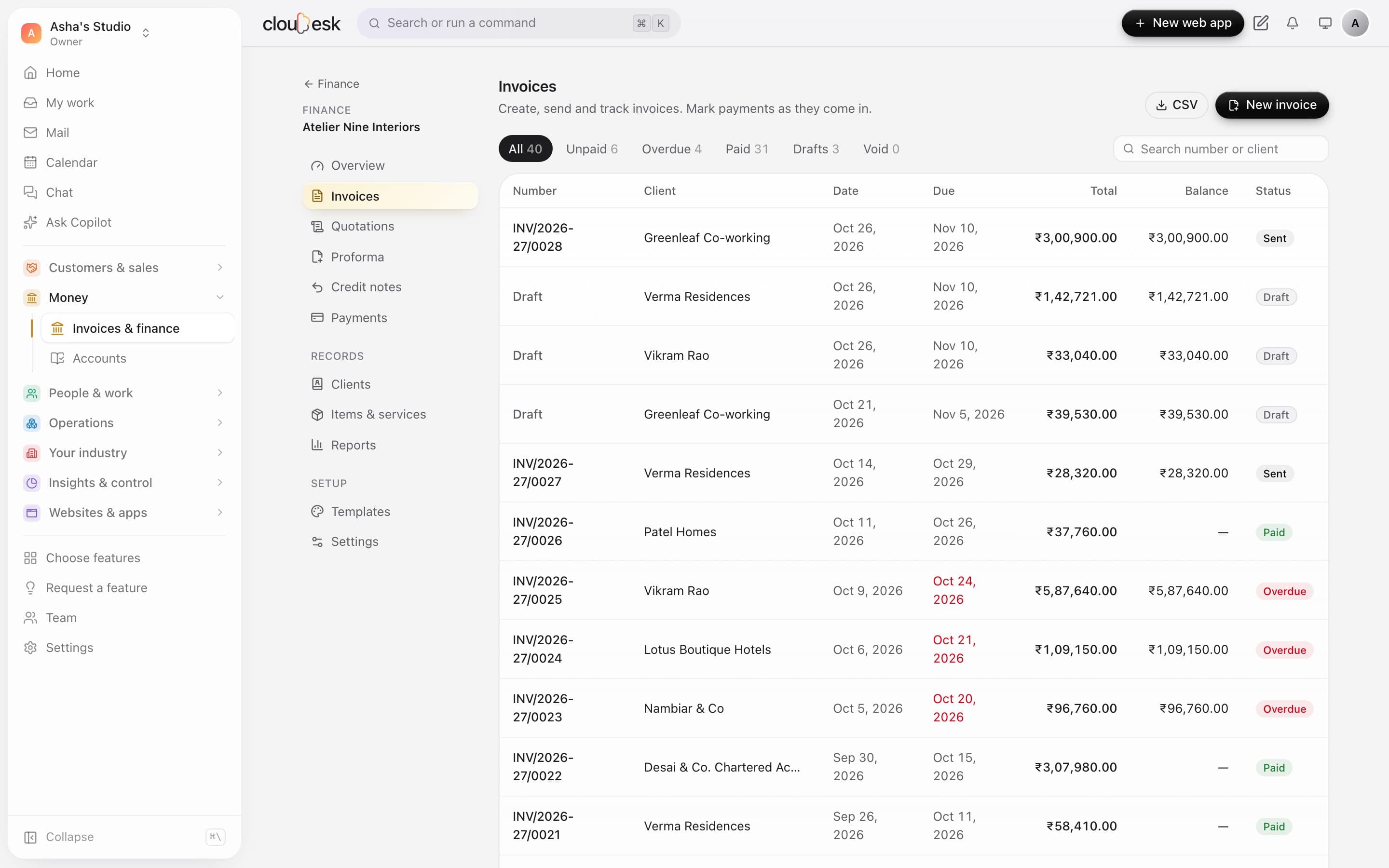
    Every invoice, and exactly where it stands.

    Drafts, sent, part-paid, paid and overdue — each invoice updates the moment you record a payment.

    • Filter by status, search by number or client
    • Balances that update with every payment
    • Export everything to CSV
    The invoice list with status filters and paid, sent and overdue invoices
  3. 03GST invoices

    GST invoices that add up, every time.

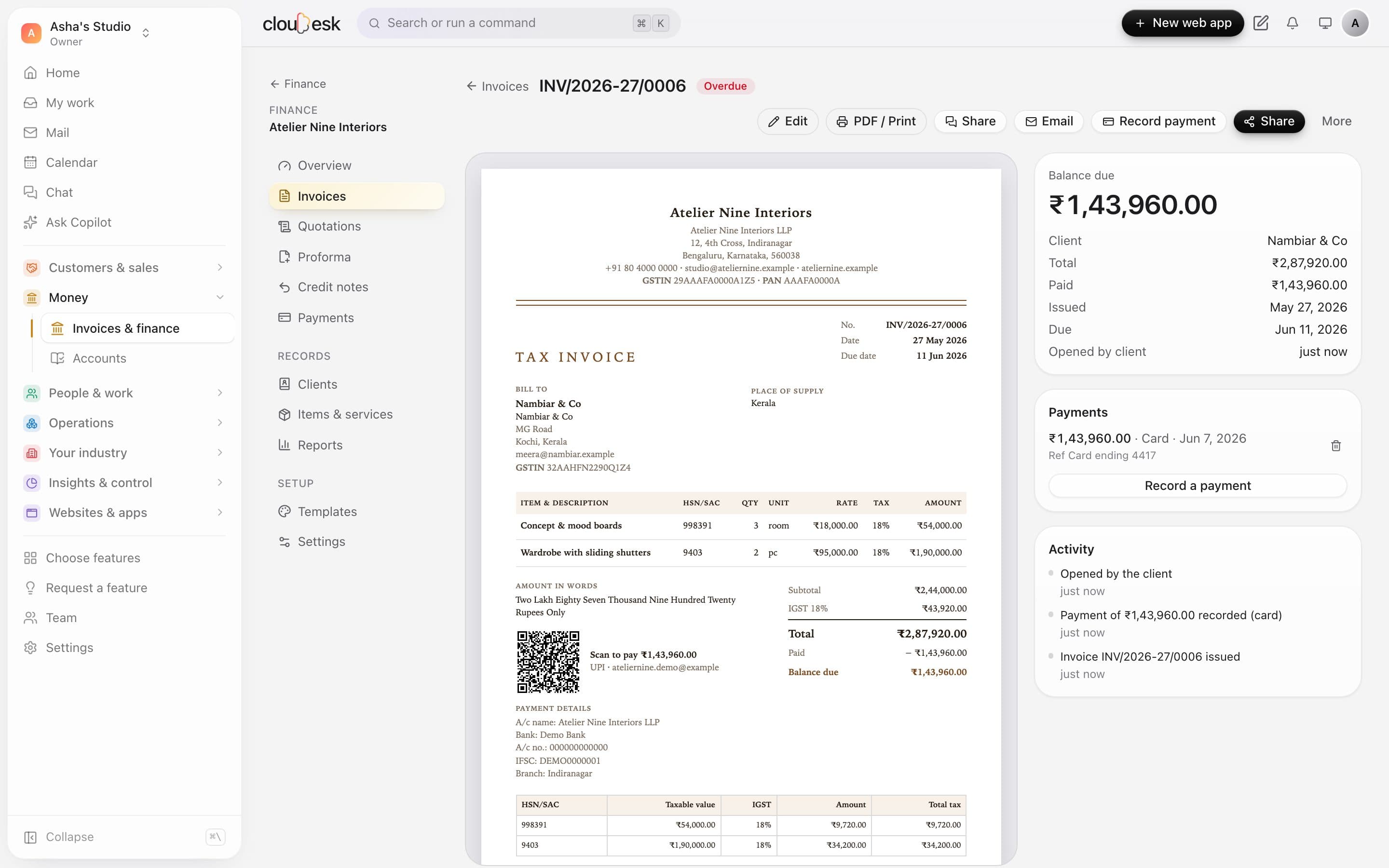
    CGST and SGST, or IGST — picked from the place of supply. HSN/SAC summary, amount in words and your bank details, laid out like a proper tax invoice.

    • The right GST split, automatically
    • A UPI QR for the exact balance due
    • Part-payments and a full activity trail
    • See when your client opens it
    A tax invoice with IGST, a UPI QR code, part-payment and activity
  4. 04Create

    Write one in a minute, with a live preview.

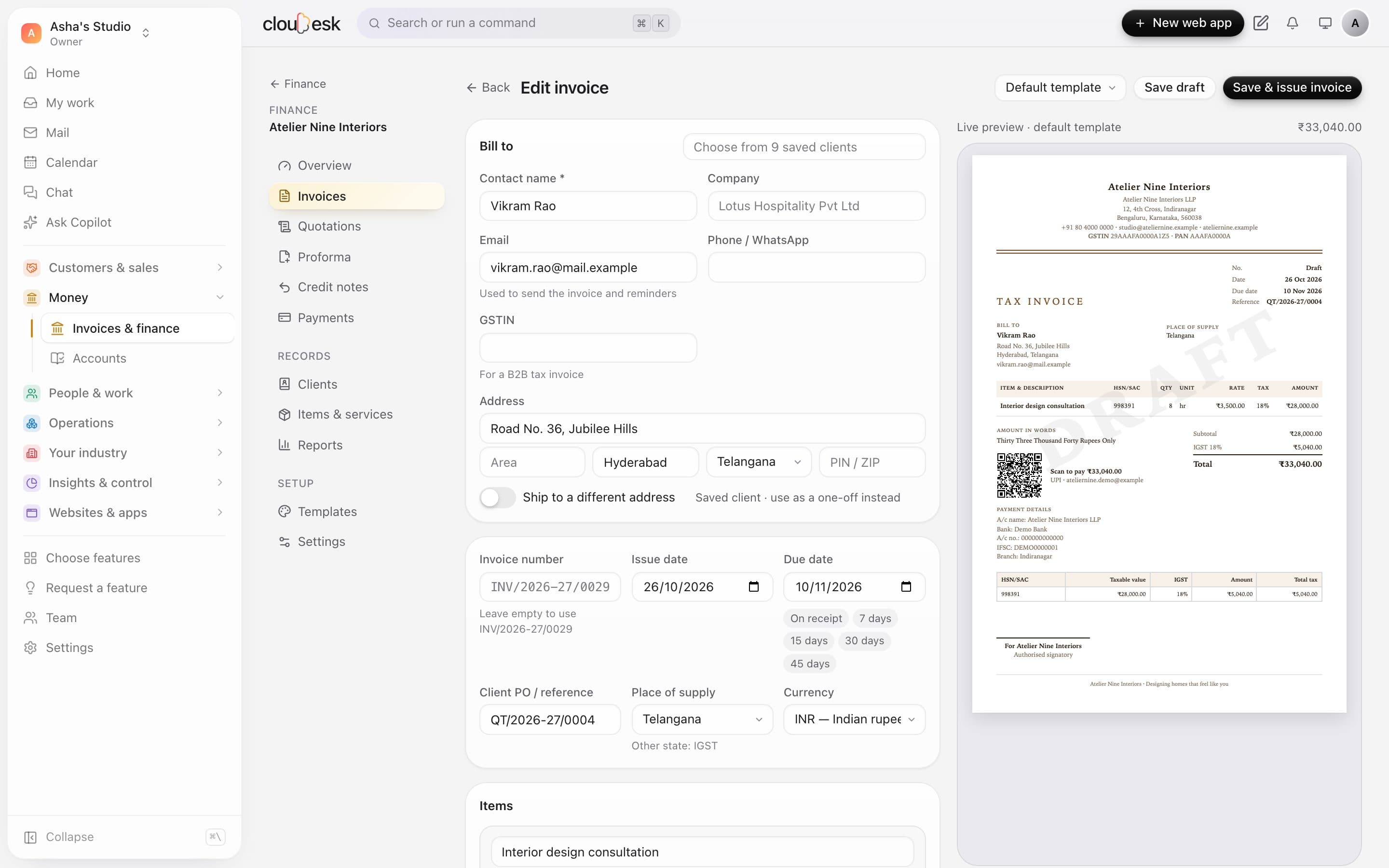
    Pick a saved client and saved items, choose a due date, and watch the invoice build itself on the right — in your own design.

    • Saved clients and items
    • Due-date shortcuts: on receipt, 7, 15, 30 or 45 days
    • Your numbering series, filled in for you
    The invoice editor with client details on the left and a live preview on the right
  5. 05Quotations

    Quote it. Then invoice it in one click.

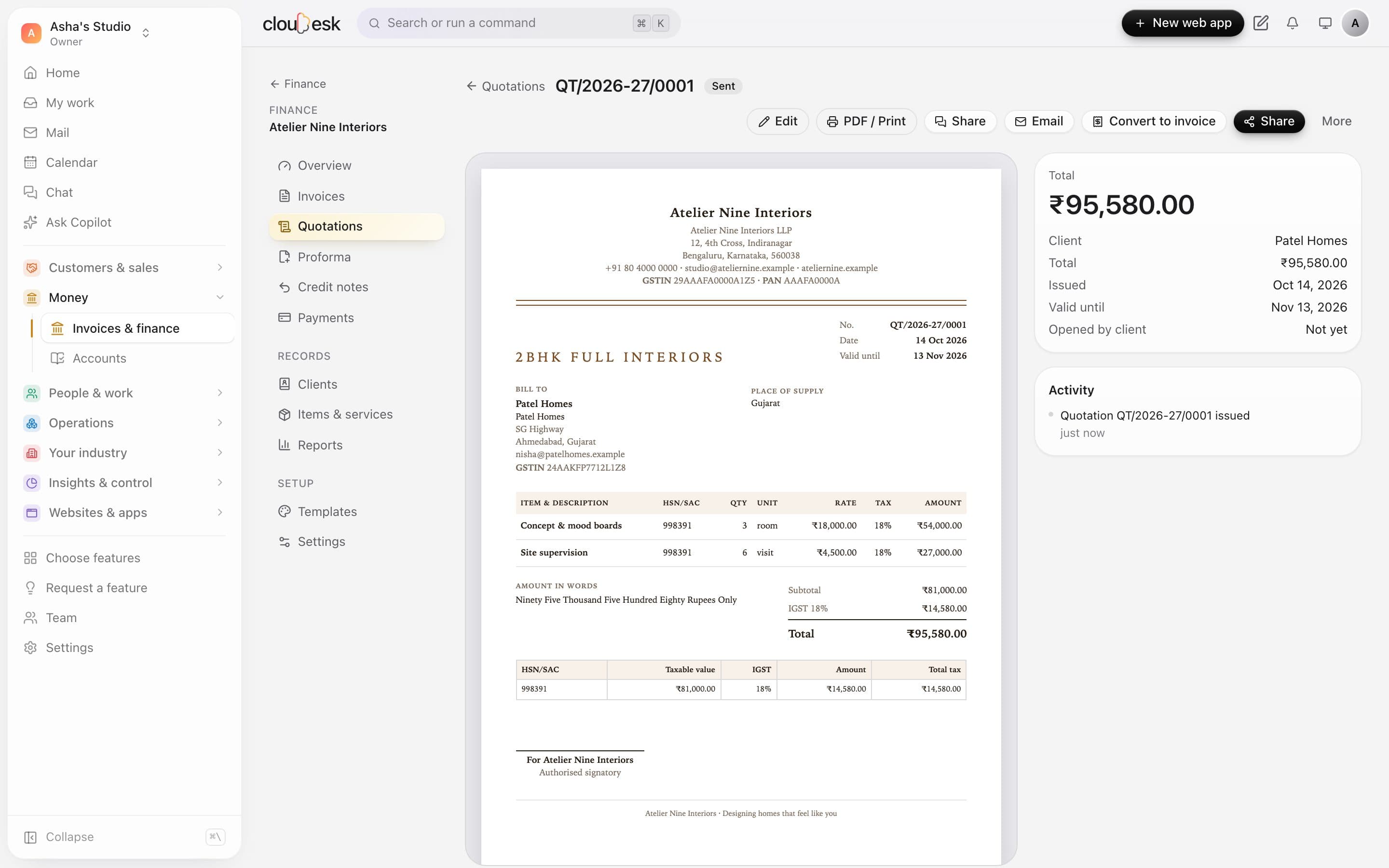
    Send a quotation your client can accept online. When they say yes, turn it into an invoice without retyping a thing.

    • Quotations, proforma invoices and credit notes
    • Clients accept quotations online
    • Convert to an invoice in one click
    A quotation titled 2BHK full interiors with a Convert to invoice button
  6. 06Sharing

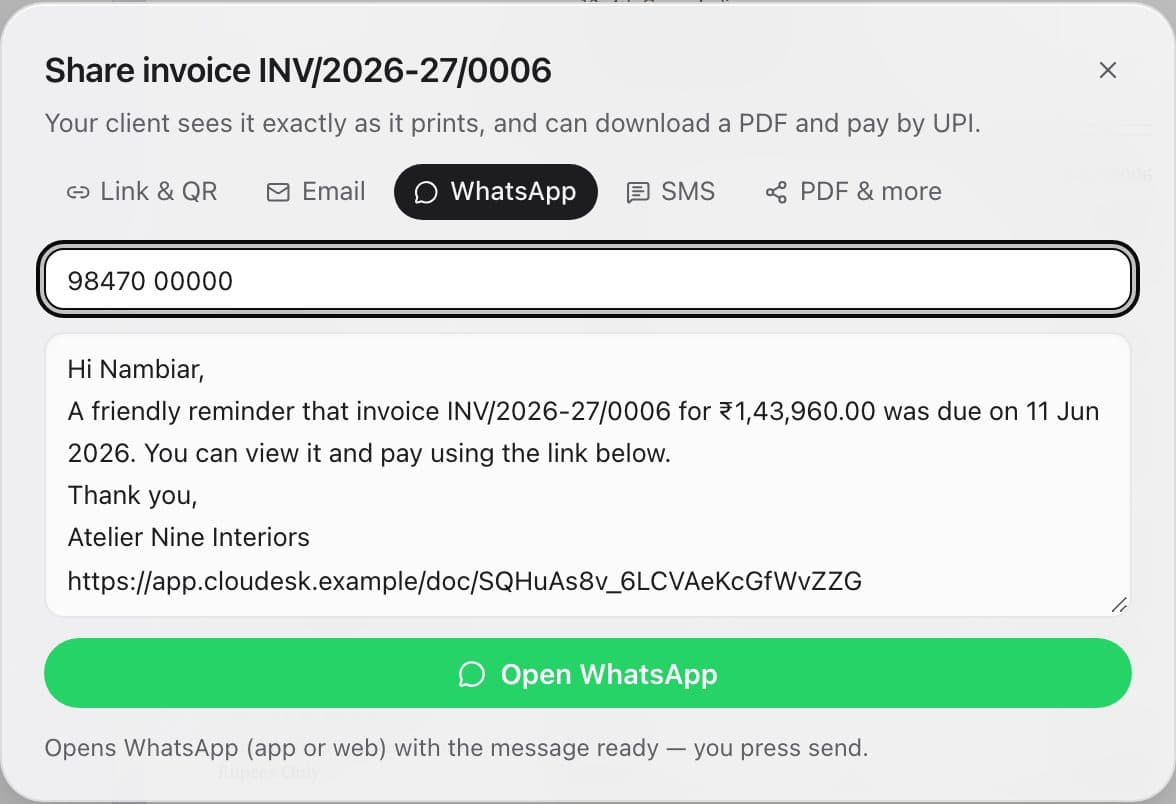
    Send it the way your client prefers.

    Share a link or QR, email it, or open WhatsApp or SMS with the message already written — including polite reminders for overdue invoices.

    • Link & QR, email, WhatsApp, SMS or PDF
    • Messages written for you, reminders too
    • You press send — nothing goes out on its own
    The share dialog with a WhatsApp reminder message ready to send
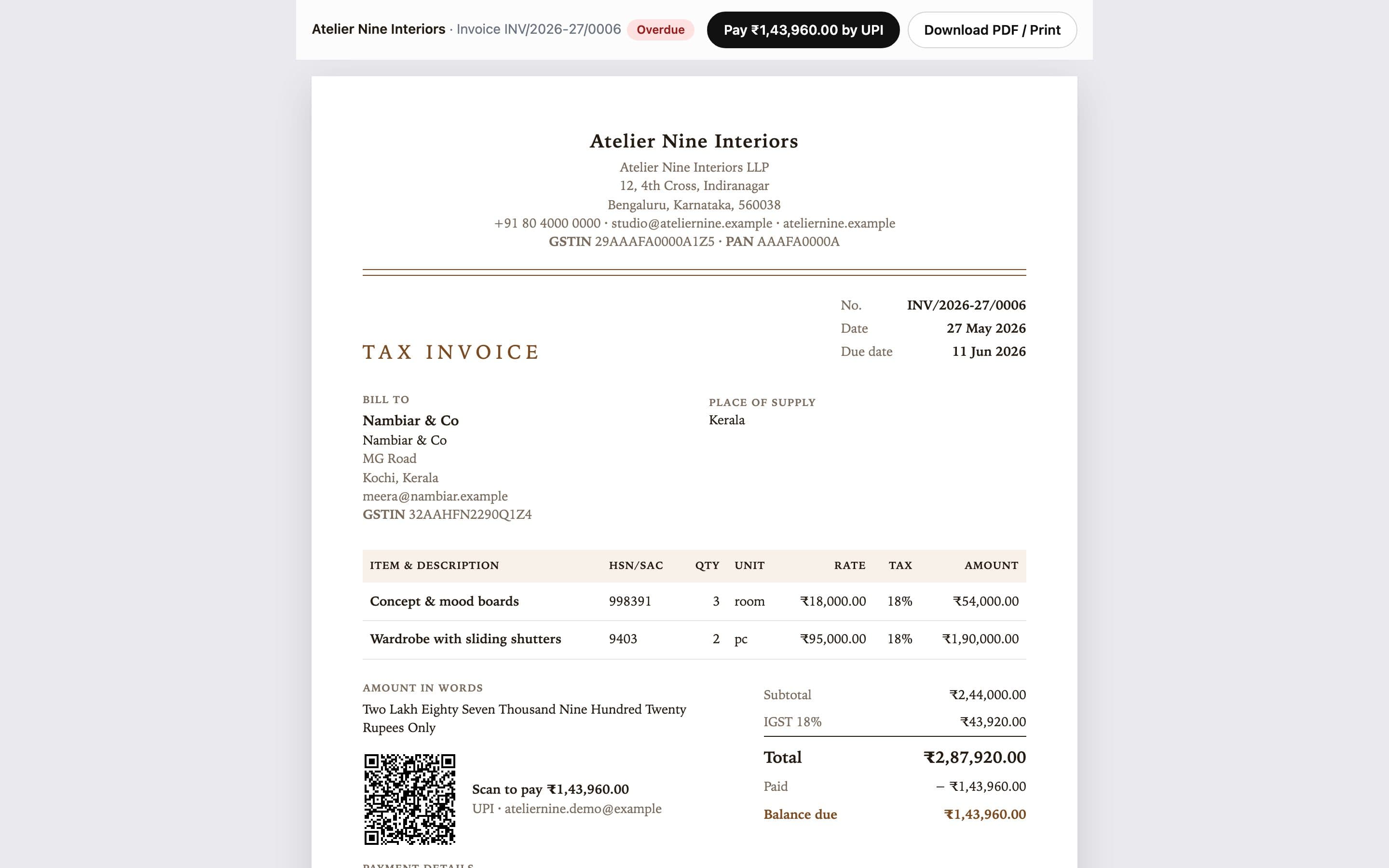
  7. 07Client view

    Your client pays by UPI in a tap.

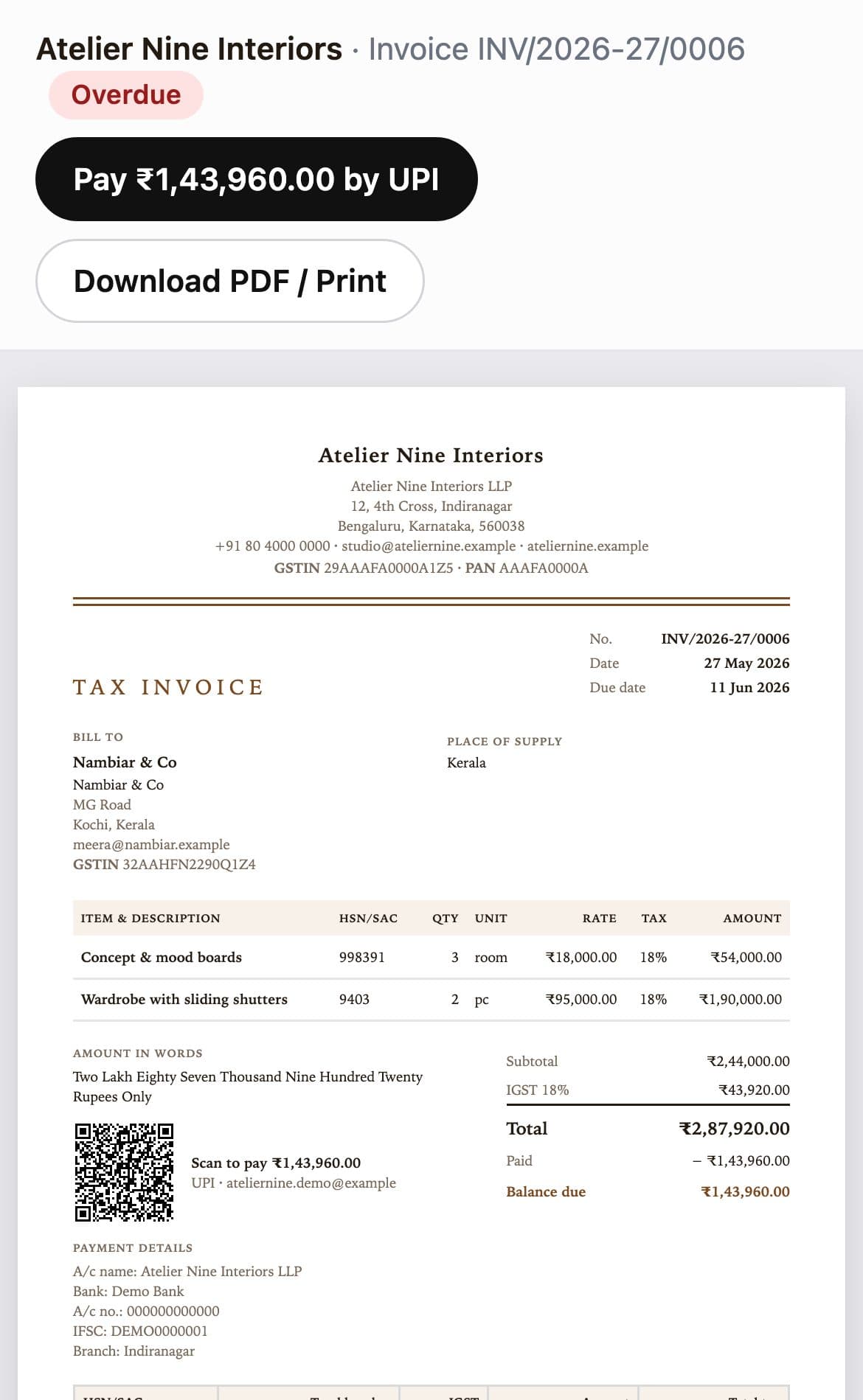
    Clients see the invoice exactly as it prints, download a PDF, and pay the balance by UPI — on a phone or a laptop, no login needed.

    • A Pay by UPI button and QR for the balance
    • PDF download and print
    • You mark it paid when the money lands — we never guess
    What a client sees: the invoice with Pay by UPI and Download PDF buttons
  8. 08Reports

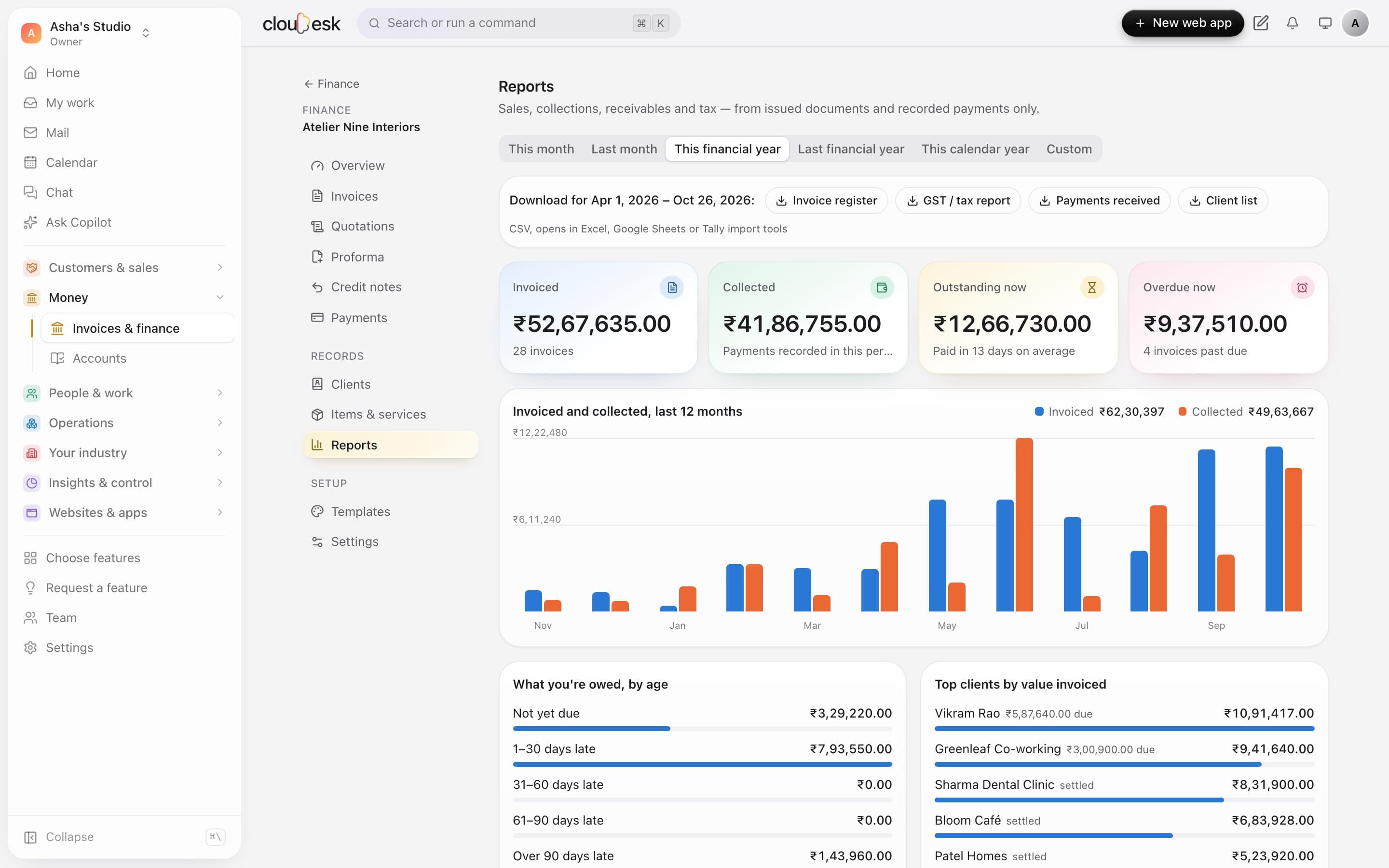
    Reports your CA will actually like.

    Sales, collections, receivables and tax for any period — from issued documents and recorded payments only. Download them as CSV in a click.

    • GST / tax report, invoice register and payments received
    • What you're owed by age, and your top clients
    • This month, last month, financial year or custom dates
    The reports page with download buttons, totals, a 12-month chart and receivables by age
  9. 09Templates

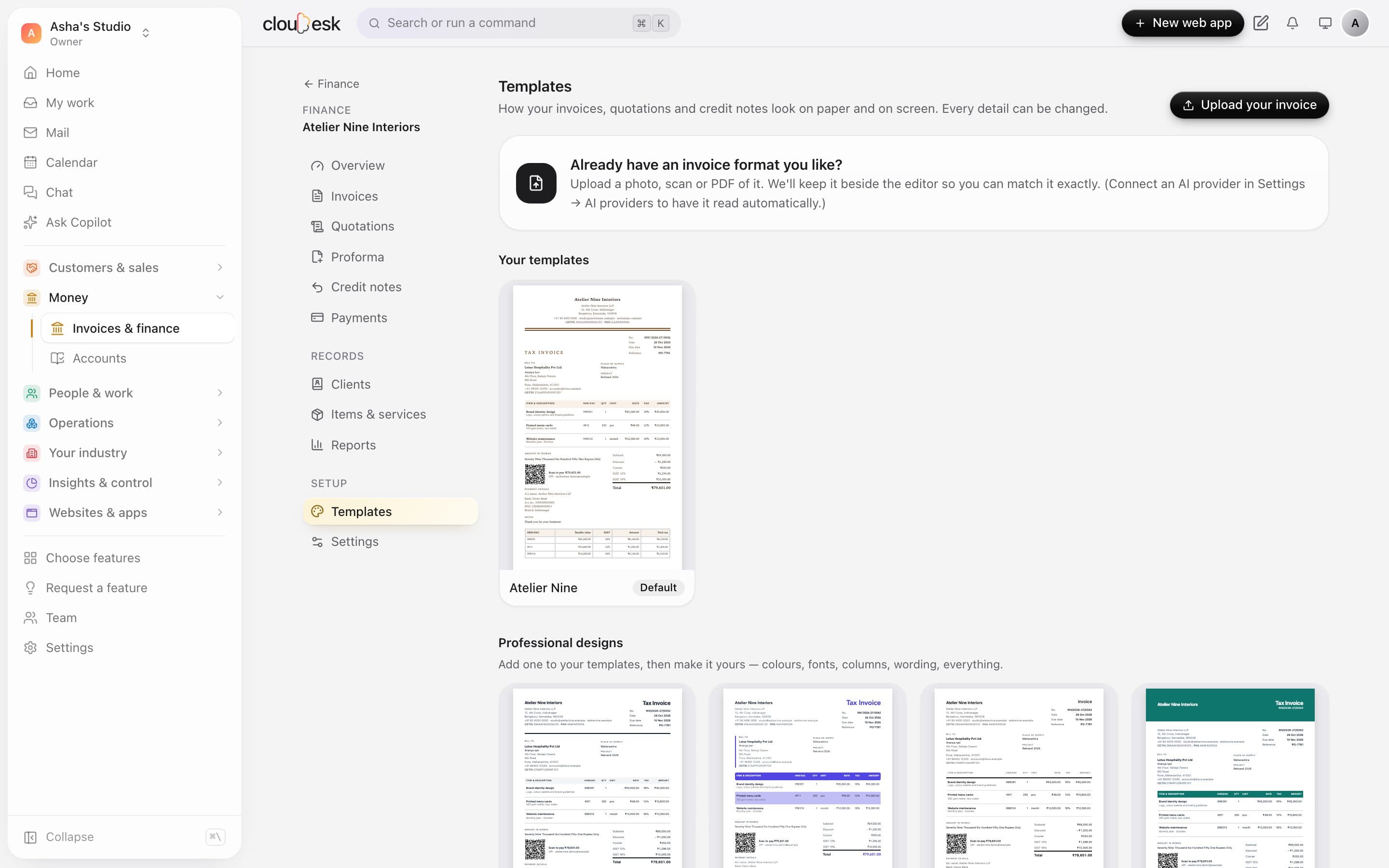
    Make it look like your invoice.

    Start from a professional design, or upload the invoice you use today and match it — colours, fonts, columns, wording, everything.

    • 8 professional designs to start from
    • Upload a photo or PDF of your current invoice — with an AI provider connected, we read its layout for you
    • Every detail editable
    The templates page with Upload your invoice and professional designs

In detail

What you get with Invoicing & Finance

Every document you need

Tax invoices, quotations, proforma invoices and credit notes — numbered per financial year, never reused.

Good to know

We'd rather be upfront than surprise you later:

  • PDFs come from your browser's “Save as PDF”; email delivery needs an email service set up on the server.
  • GST e-invoicing (IRN) and e-way bills aren't connected.

Questions people ask

Do I need a website to use invoicing?+

Not at all. Open Finance from the sidebar and set up your books in seconds.

Can clients pay from the invoice?+

If you add a UPI ID, every rupee invoice shows a scan-to-pay QR for the exact balance due.

Can I export for my accountant?+

Yes — invoice register, GST report, payments and clients as CSV, ready for Excel or Tally imports.

Works beautifully with

Give it a spin — it's free to start.

Next up: Bookings →

Start free