All features

Cloudesk Governance, risk & compliance

Know your risks. Never miss a filing.

Keep the risks that matter in one register, scored before and after the controls that keep them in check, and record each test of those controls. Add India's statutory dates in one click — GST returns, TDS, PF and ESI, advance tax, ROC filings — and the right person is reminded before each one. Publish policies your team acknowledges, take incident reports from anyone, run internal audits to closed findings, and let Cloudesk look across your books for duties one person shouldn't hold and signs of fraud.

Compliance on a phone

Real screenshots from the app, using a demo workspace.

How it works

Three steps, no surprises

  1. 1

    Add your calendar

    Start from the Indian statutory pack and edit it to fit. Mark each filing done with its ARN or challan number.

  2. 2

    Build the register

    Add risks (or import your spreadsheet), score likelihood and impact, link controls and test them on schedule.

  3. 3

    Bring everyone in

    Publish policies for acknowledgement; anyone can report an incident from their phone.

The tour

Every tool, up close.

  1. 01At a glance

    Your risk and compliance, on one screen.

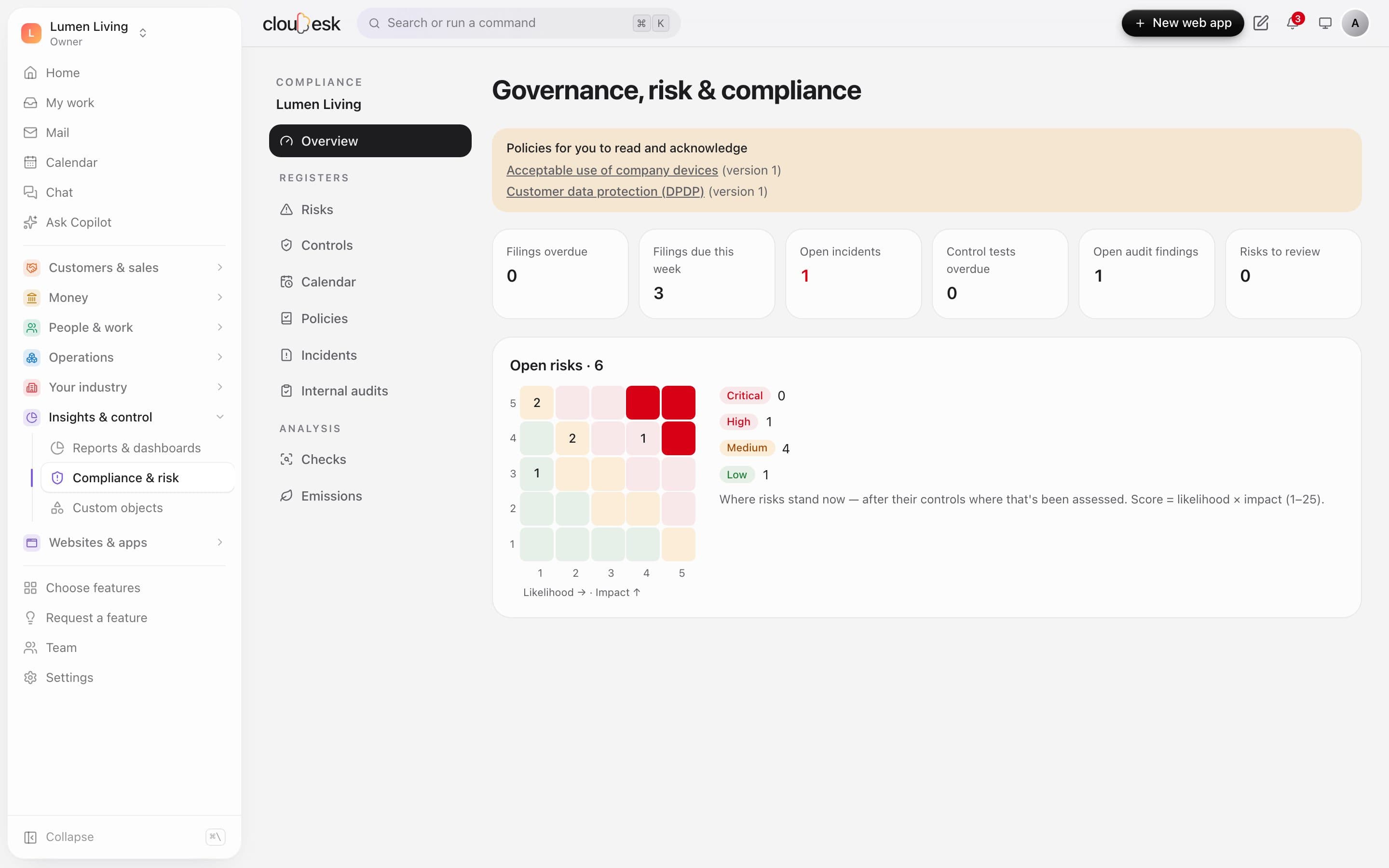
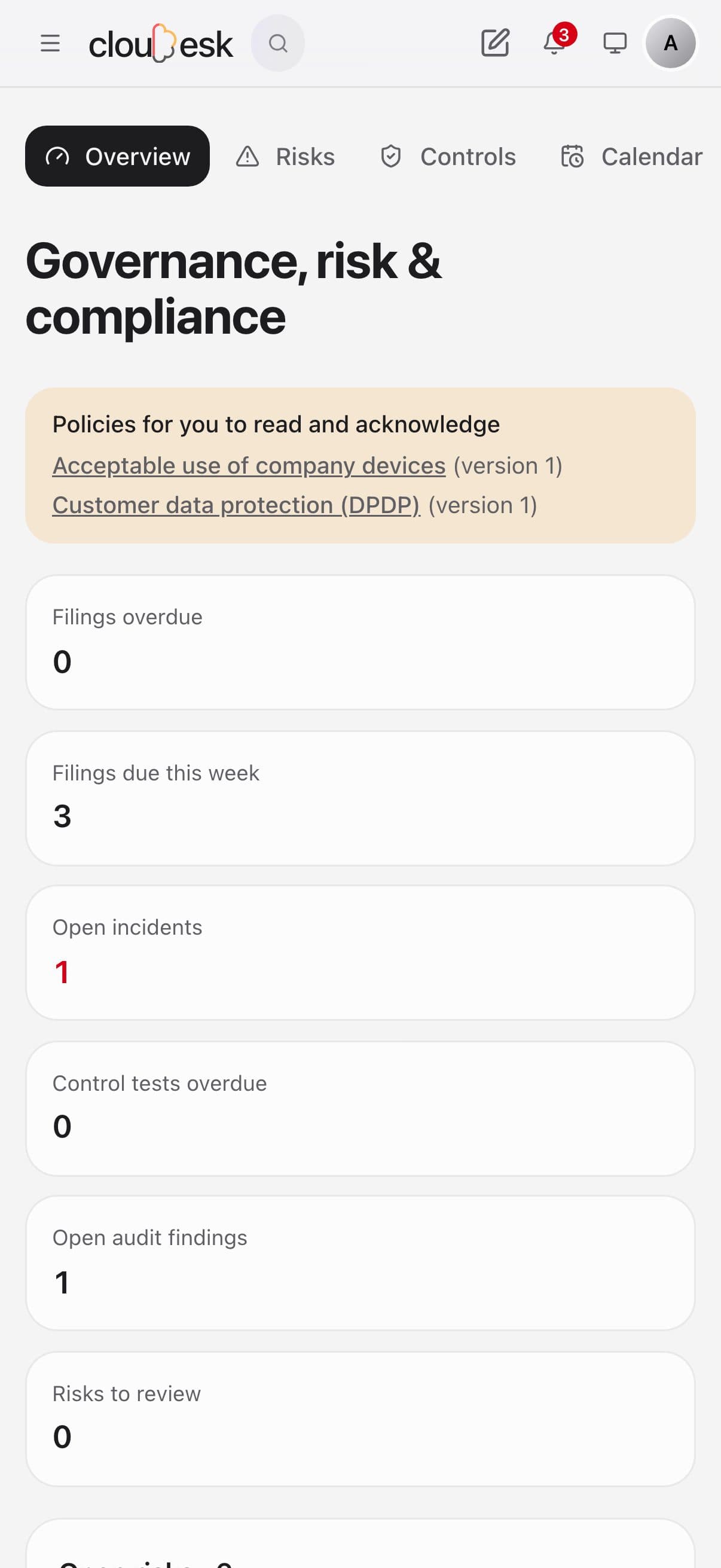
    Filings due this week, open incidents, overdue control tests and audit findings — with a heat map of where your risks stand once their controls are counted.

    • Policies waiting for you to read
    • Risk heat map, likelihood × impact
    • Everything overdue in red
    Compliance overview: filings due, incidents, audit findings and the risk heat map
  2. 02Filings

    Every Indian filing date, already in.

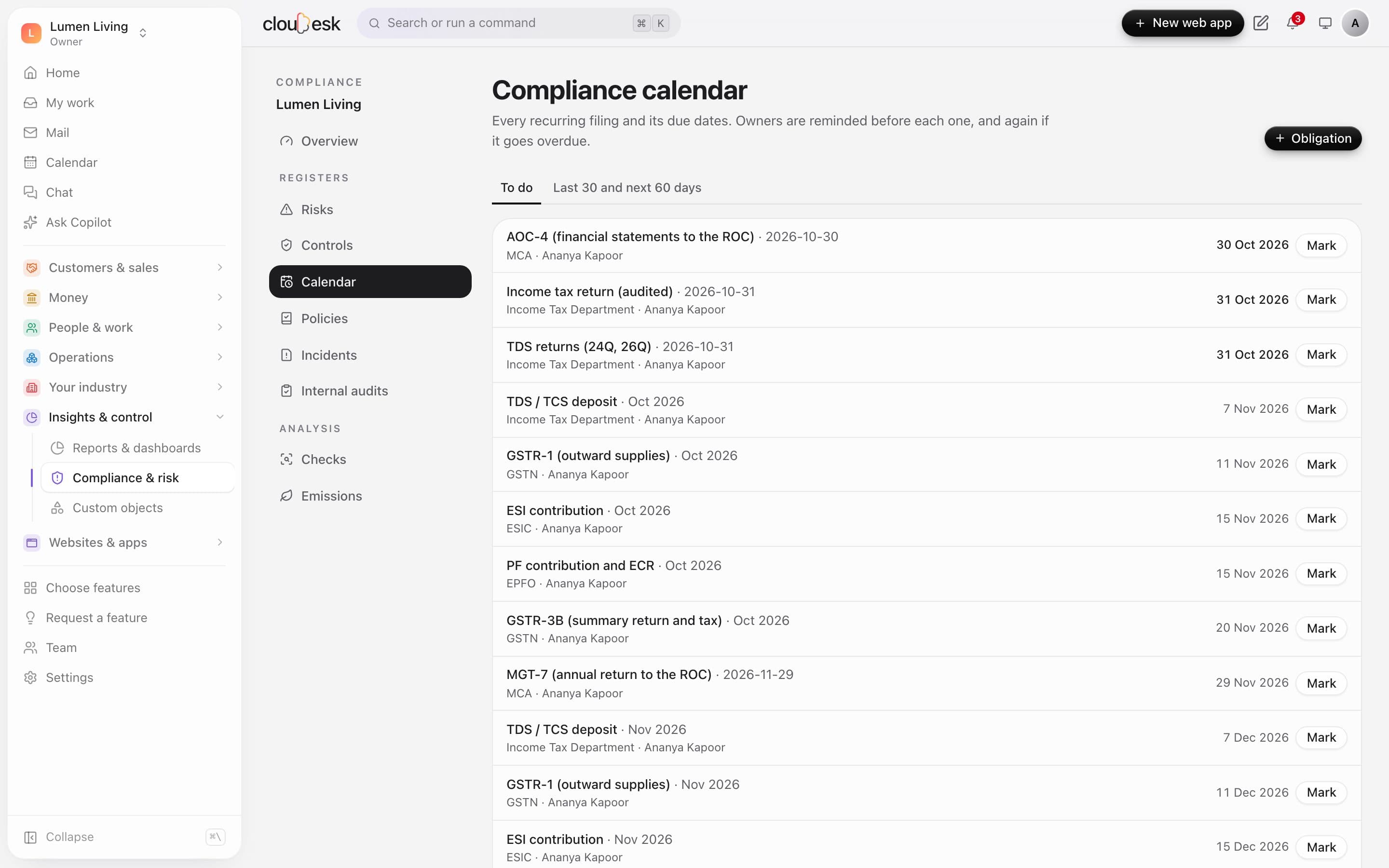
    Add the Indian pack and GST returns, TDS, PF, ESI, ROC filings and advance tax land on the calendar with their due dates. Owners are reminded before each one, and again if it's overdue.

    • One click to add the common filings
    • Your own obligations too
    • Mark done with the reference number
    • Reminders before and after
    The compliance calendar with GST, TDS, PF, ESI and ROC due dates
  3. 03Risks

    Risks before and after your controls.

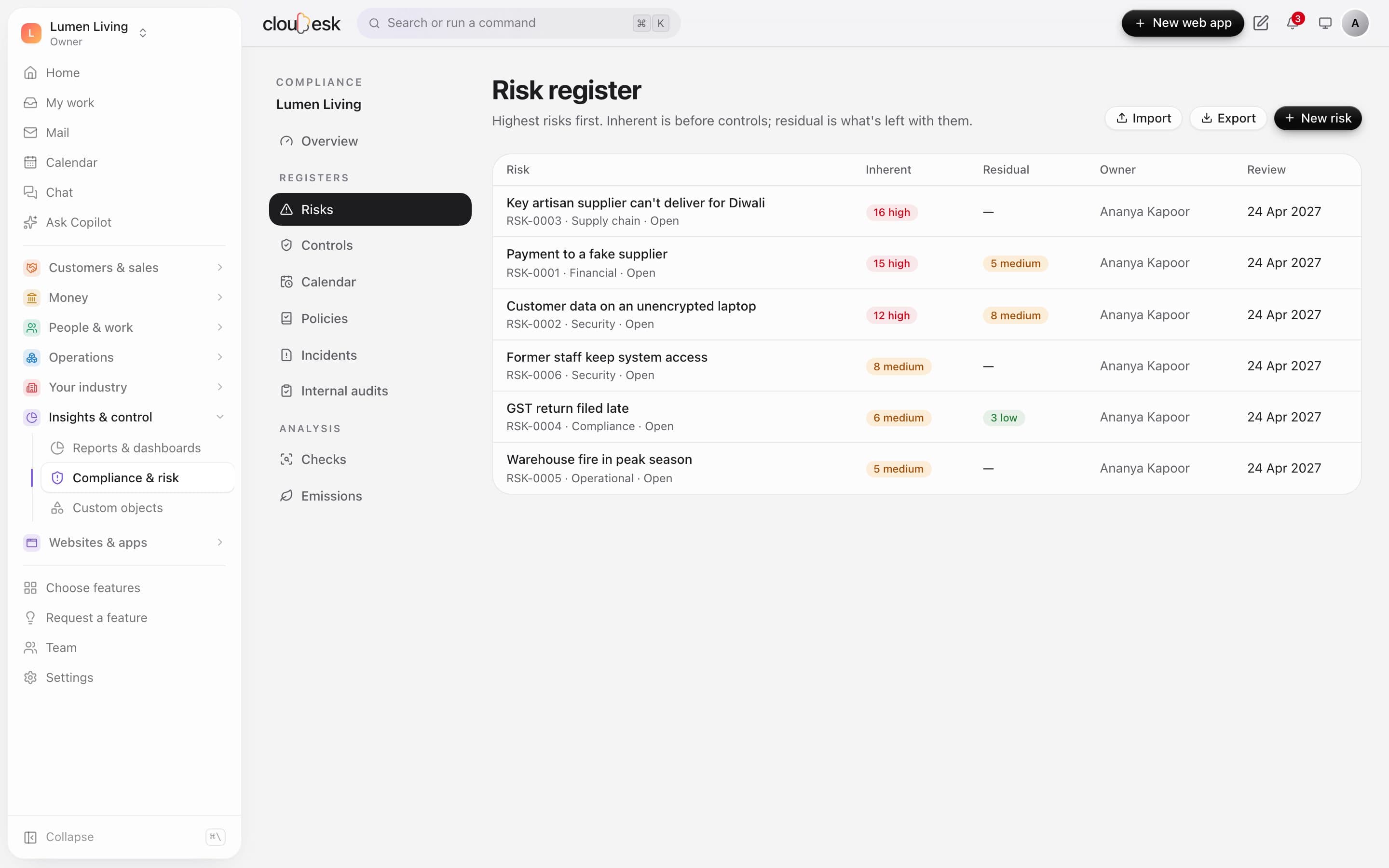
    Score each risk for likelihood and impact, link the controls that reduce it, and see what's left. Import an existing register from a spreadsheet.

    • Inherent and residual scores
    • Owner and review date
    • Import from Excel or CSV
    The risk register with inherent and residual scores
  4. 04Controls

    Controls that are actually tested.

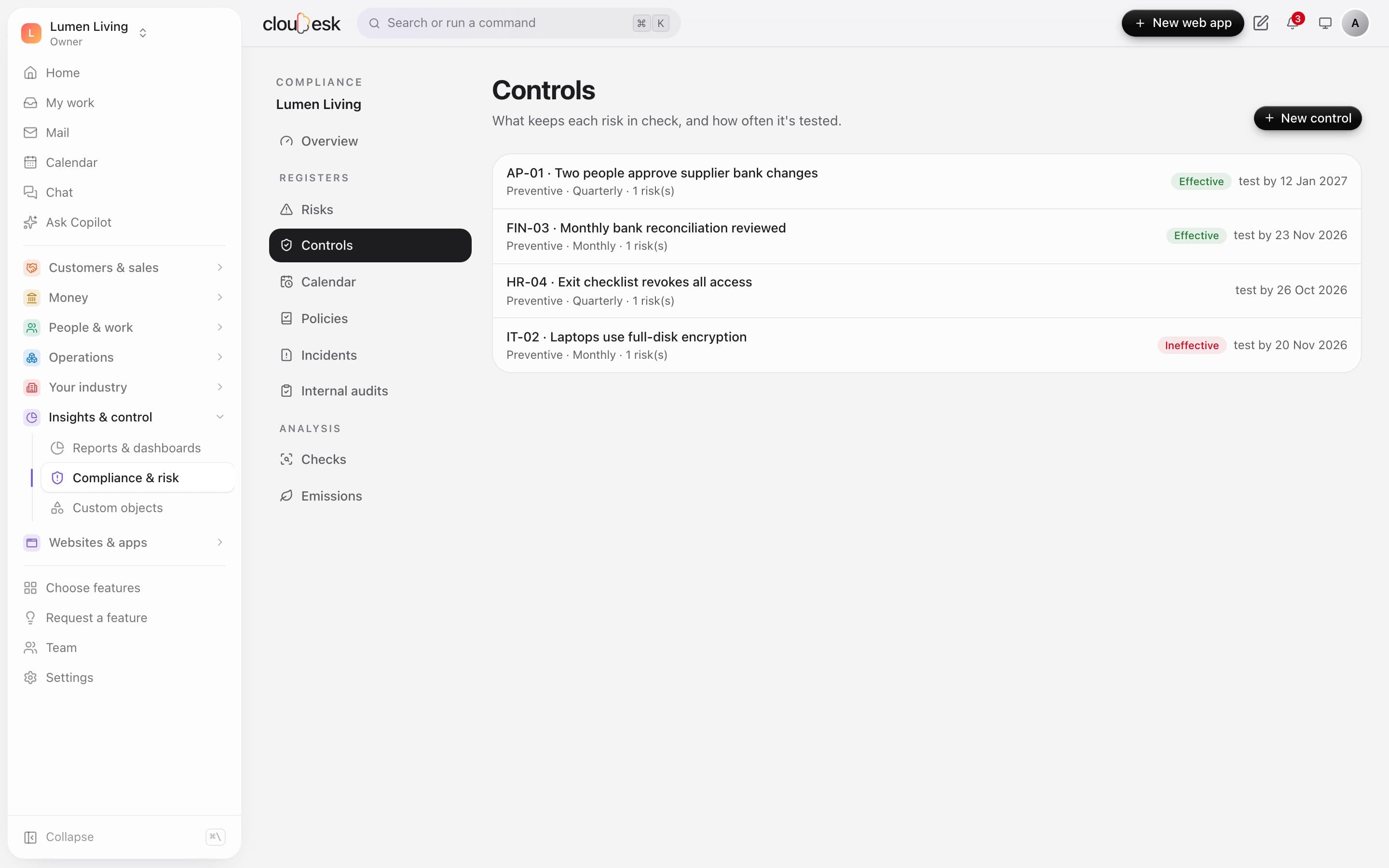
    Record each test with what was sampled and whether the control worked. The last result and the next due test show at a glance — alongside policies, incidents and internal audits.

    • Effective or not, with notes
    • Next test date from the frequency
    • Policies with read receipts, incidents and audits
    Controls with their last test result and next test date

In detail

What you get with Cloudesk Governance, risk & compliance

A 5×5 heat map

Where your open risks stand now, after controls where they've been assessed.

Good to know

We'd rather be upfront than surprise you later:

  • The statutory pack uses standard due dates; the government often extends them and some depend on turnover, state or your AGM date.
  • Checks are rules that point to things worth a look — not findings of wrongdoing.
  • Emissions cover scope 1 fuels and scope 2 electricity with editable factors; scope 3 isn't covered.

Questions people ask

Can employees see the risk register?+

No. Everyone can read and acknowledge policies and report incidents; the registers are for the rest of the team.

Where do supplier and staff bank details come from?+

From your suppliers in Inventory and employees in HR. Matching staff details needs someone with payroll access.

Works beautifully with

Give it a spin — it's free to start.

Next up: Cloudesk AI copilot →

Start free